Beware of connecting every MCP with your favorite AI assistant without questioning permissions.
I am using Claude for all things related to analysing the growth of LinCal, and one piece of the puzzle is Supabase. It’s where all app data lives.
By default, Claude comes with a Supabase Connector, and by default it has read/write access. And this is risky on a production DB.
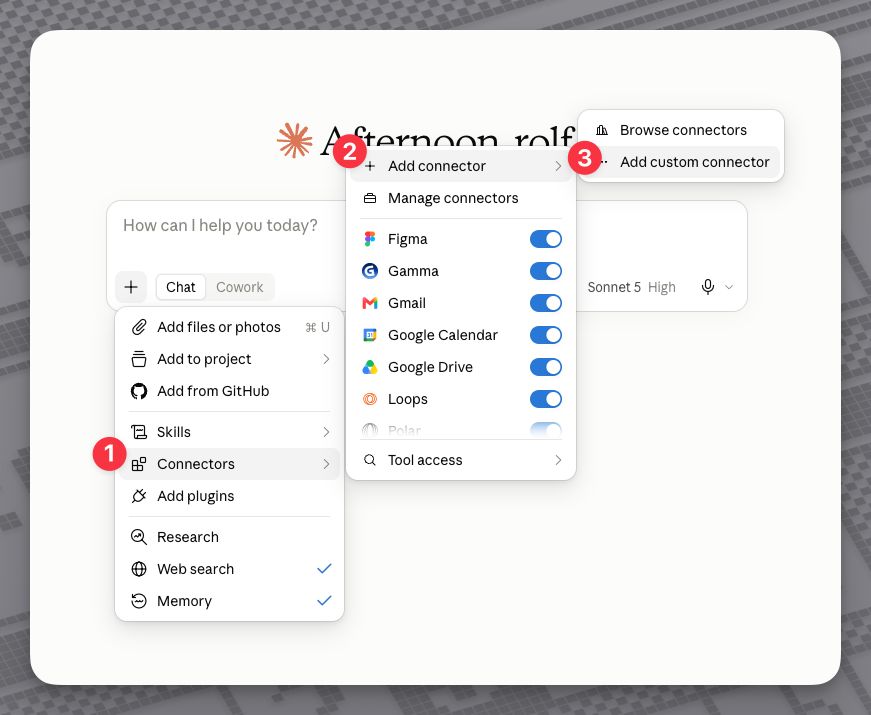
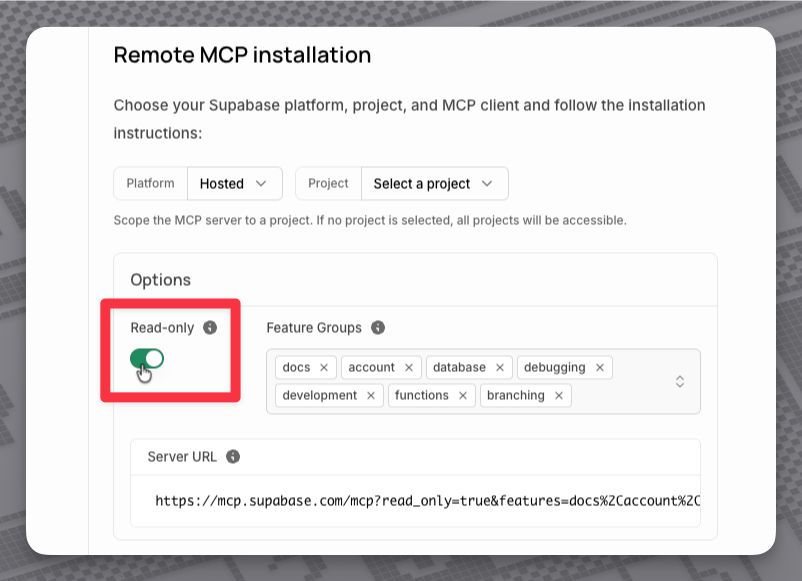
There is a simple way to avoid this: create the MCP connection manually; don’t use the available connector. By adding read_only=true to the MCP connection URL, you can make sure it has only read-only access.
That way, you (your AI) can’t accidentally modify or delete data. Supabase has a great docs page up explaining it all.
How it is done in Claude: