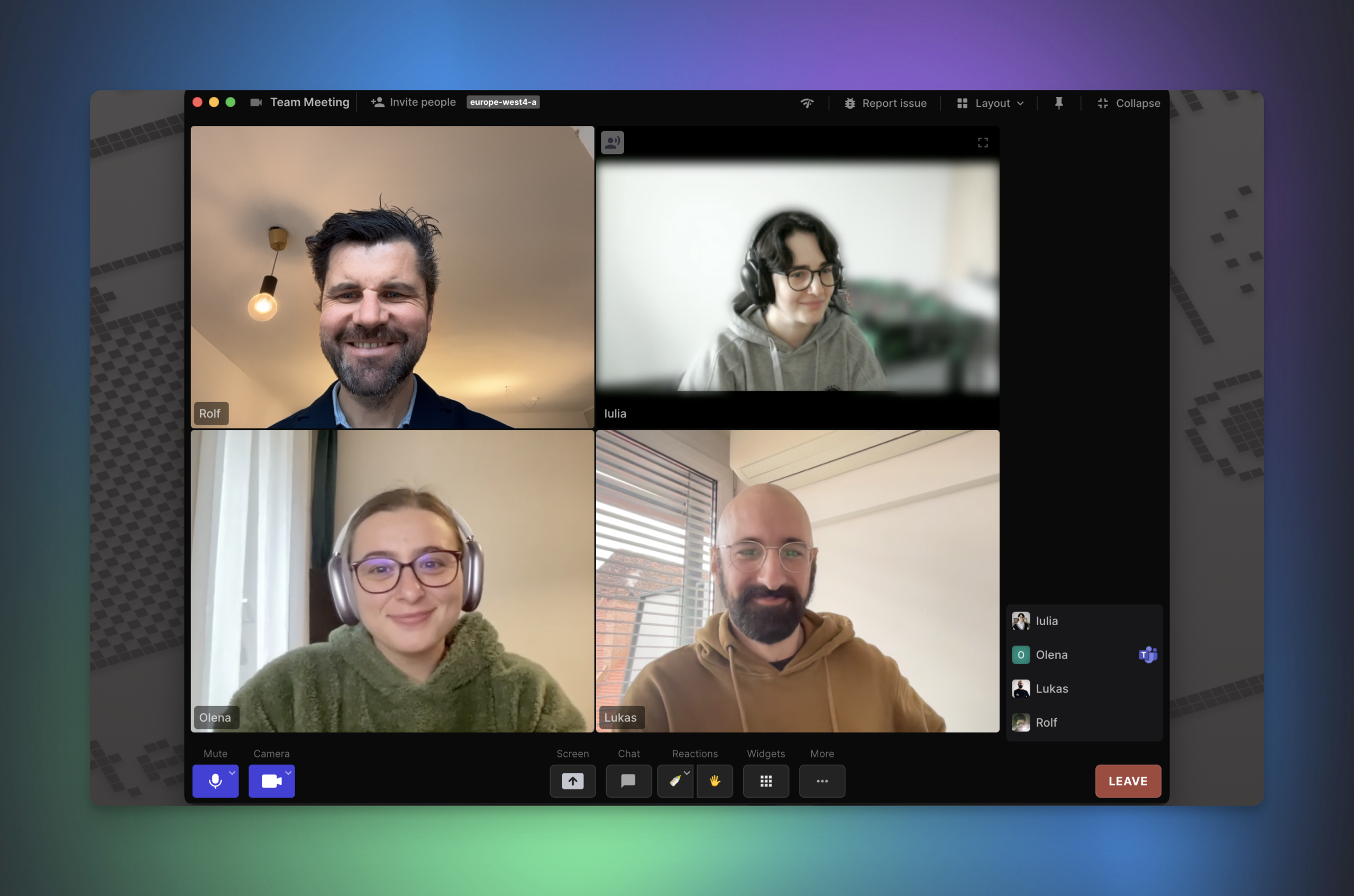
Working remotely is amazing, but it comes with a challenge that many of us face: managing the communication stack. For growth-focused companies like us at Fresh van Root, wasted time equals lost opportunity.
Our days used to feel like we were relying on generic, high friction platforms.
We actively dislike the overly corporate and feature experience of Microsoft Teams (which we strongly avoid, if possible) and reserve the professional formality of Zoom and Google Meet strictly for external client calls. These tools are built for scheduling meetings, not for doing work together.
Then we found Tandem.
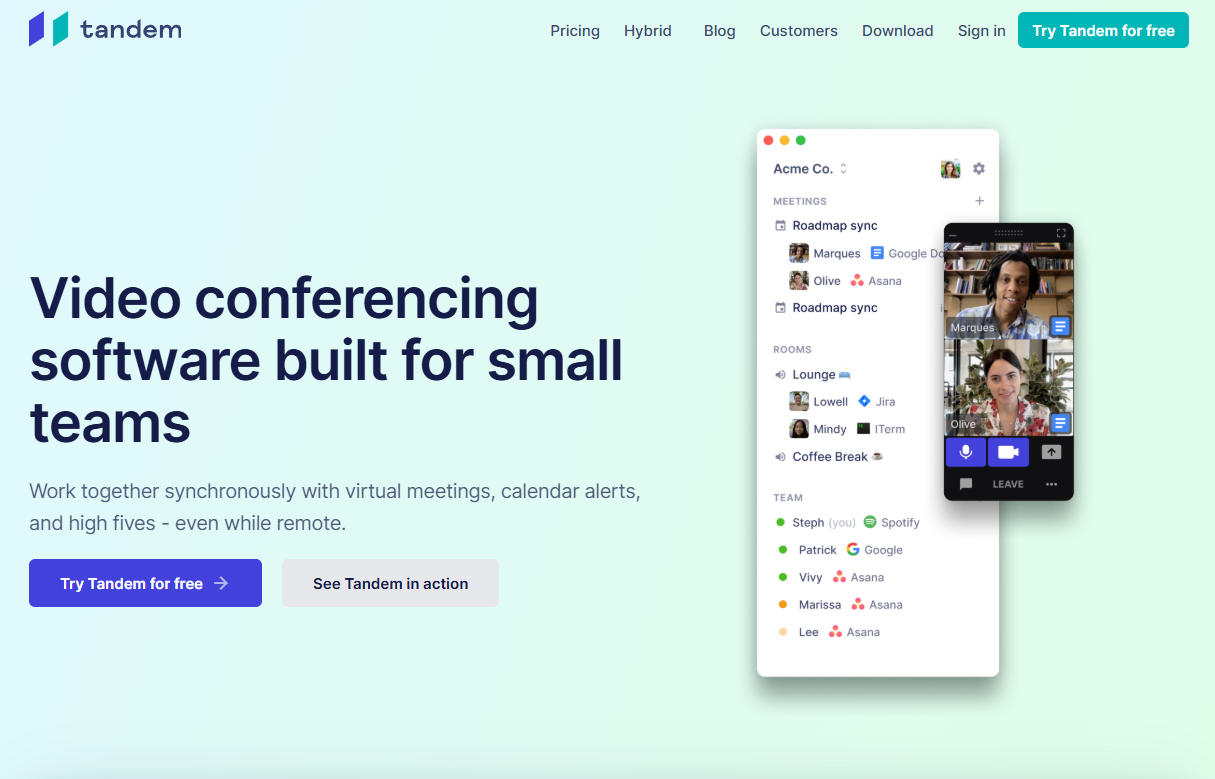
Tandem is our virtual operations hub, a dedicated remote workspace where we can instantly view teammate availability and initiate one-click collaboration. It works on desktop and has a mobile app too, which keeps the team connected when someone steps away.
Overall, it improves our internal communication flow and fundamentally redefines how we interact.
For small teams, it’s not just about interaction but about optimizing every minute of a co-working session.
In this post, we’re going to explore Tandem’s core technical features, show you exactly how they fit into our daily work, and break down the effectiveness of this tool on internal communication.
The Digital Desk
The single biggest technical advantage Tandem offers is its dynamic presence feature. In a traditional setup (Slack/Teams), status is manual and generic: “Available” or “In a Meeting.”
This gives zero context.
Tandem, however, uses 200+ app integrations to show your teammates exactly what application you’re in, removing the need for the usual “Hey, are you free?” message.
What we get to in the app see:
- “Lukas is in Figma”
- “Rolf is in Cursor.”
- “Iulia is in Linear“
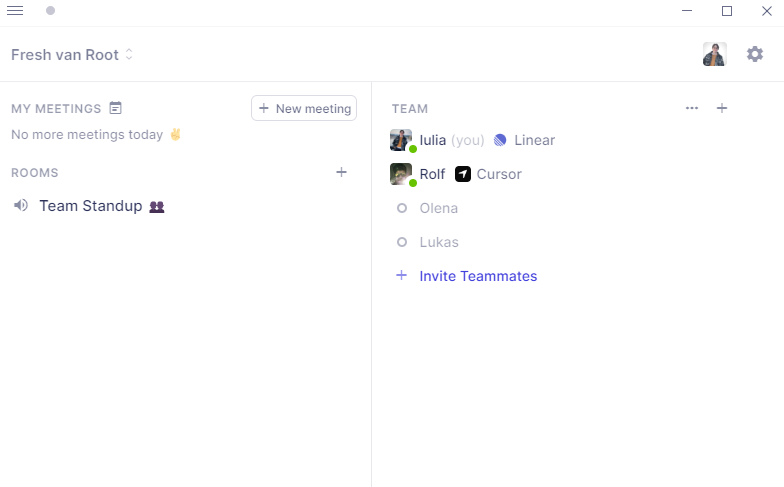
This feature is ideal for real-time updates and preventing interruptions. If a teammate is deep in Google Docs or Figma, we know to pause.
Once you’re in an active meeting, Tandem also shows the page you’re working on. You see the Google Doc or the Linear icon, and clicking it takes you straight to that same page if you have access.
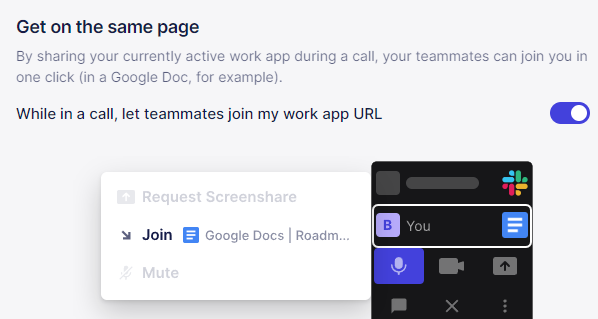
It makes collaboration run smoother, since teammates can open your page with a single click instead of asking for a link, and you’ll get a small notification when they join you there.
The “One Click Drop In”
The friction of starting a quick internal conversation with other platforms significantly hinders productivity. It usually involves:
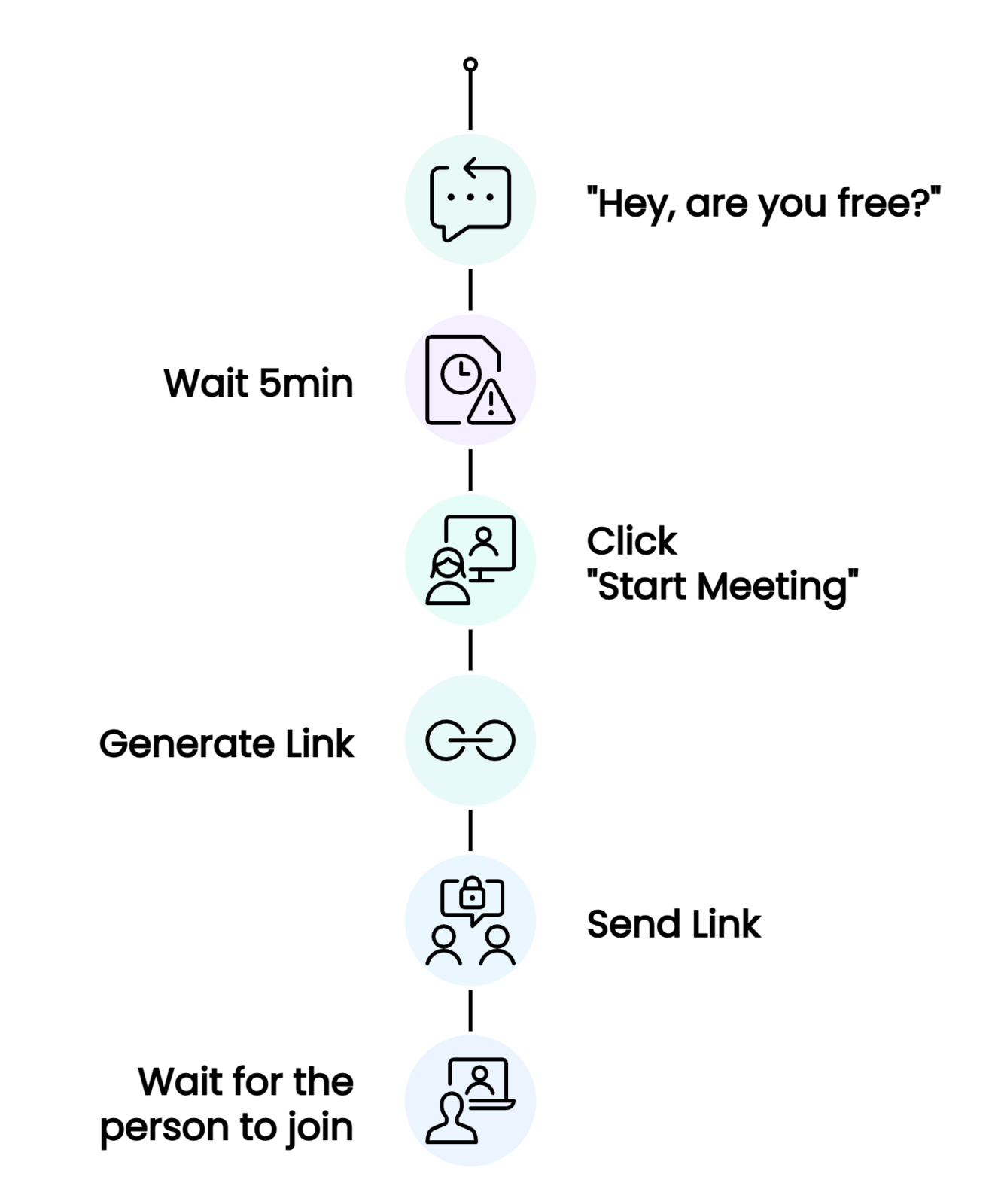
Tandem replaces this multiple step process with a single, crucial click.
When a teammate is marked as Available, we simply click their avatar, and we are immediately pulled into a quick audio chat. There is no link generation and no multi-step process.
This reduces the time-to-solution latency to seconds, which is a massive win for a fast-moving small business.
For a lighter interaction, the Wave & Talk feature initiates a quick chat, acting as a simple digital “tap on the shoulder.”
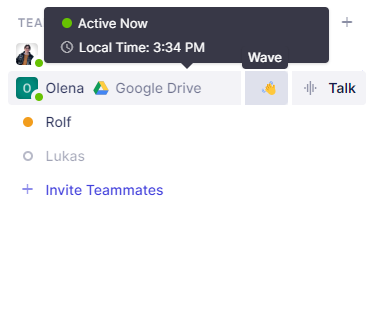
Tandem also cuts down on schedule friction.
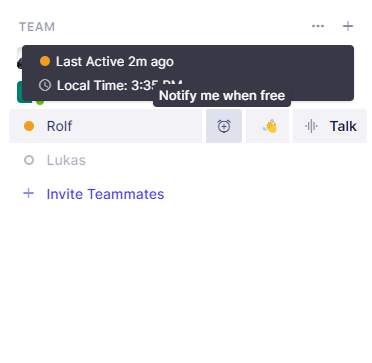
It integrates our calendar, displaying Upcoming Meetings and offering Auto-Join capability. If a teammate is focused, we utilize the Notify Me When Free function.
We instruct Tandem to send an alert the moment they become available, allowing us to maintain focus on our current task until the optimal moment for collaboration arrives. This keeps us working instead of checking statuses or managing meeting logistics.
Your Virtual Meetings
Tandem’s widgets are tiny features that somehow make internal calls both more productive and more enjoyable. They’re the kind of tools you start using for efficiency, and then you realize they also make meetings feel less generic.
- Timer helps us keep discussions tight and avoid overruns.
- Standup gives us a clean, repeatable daily check-in format.
- Music sets a shared vibe during co-working or slower sessions.
- Agenda keeps everyone aligned on what we’re covering.
- Raise Hand helps manage questions without interrupting flow.
- Soundboard adds quick reactions that lighten the atmosphere.
- Airtime balances speaking time so discussions stay efficient.
These features remove the usual micro-frictions that slow teams down but also make the environment feel much lighter.
Other functions like “Auto-Join” and meeting reminders keep us in flow. We stay focused on work until the moment the meeting starts, and Tandem pulls us in automatically.
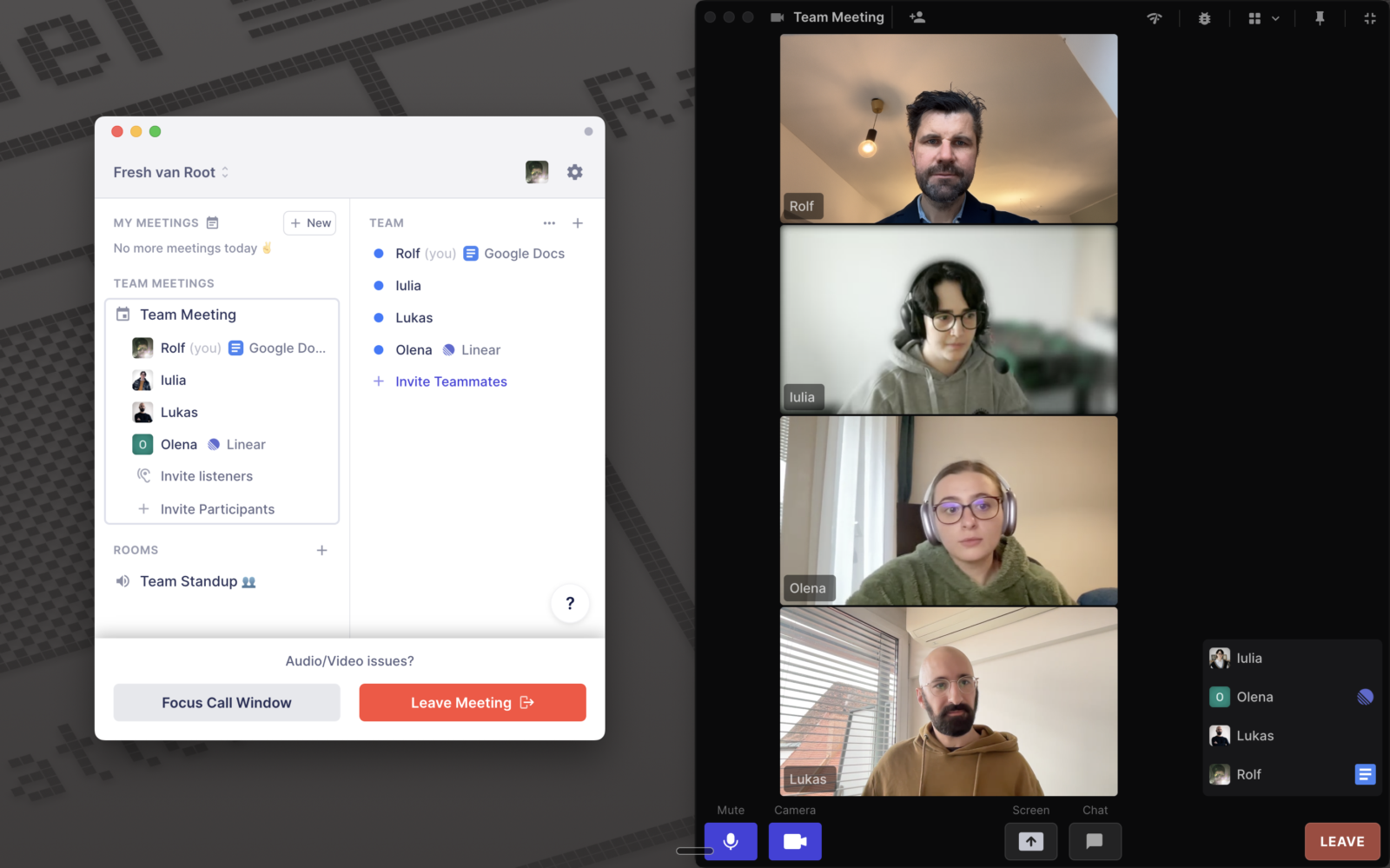
No lost links, no jumping between apps.
And then there are “High-Fives” and Rockets. These reactions sound playful, but they genuinely improve the vibe of internal calls.
Virtual backgrounds are also another tiny feature we didn’t expect to care about. Tandem keeps them simple, but they’re surprisingly useful. We use the built-in ones when we need a clean frame, and we can also upload our own backgrounds so the whole team keeps a consistent look on calls.
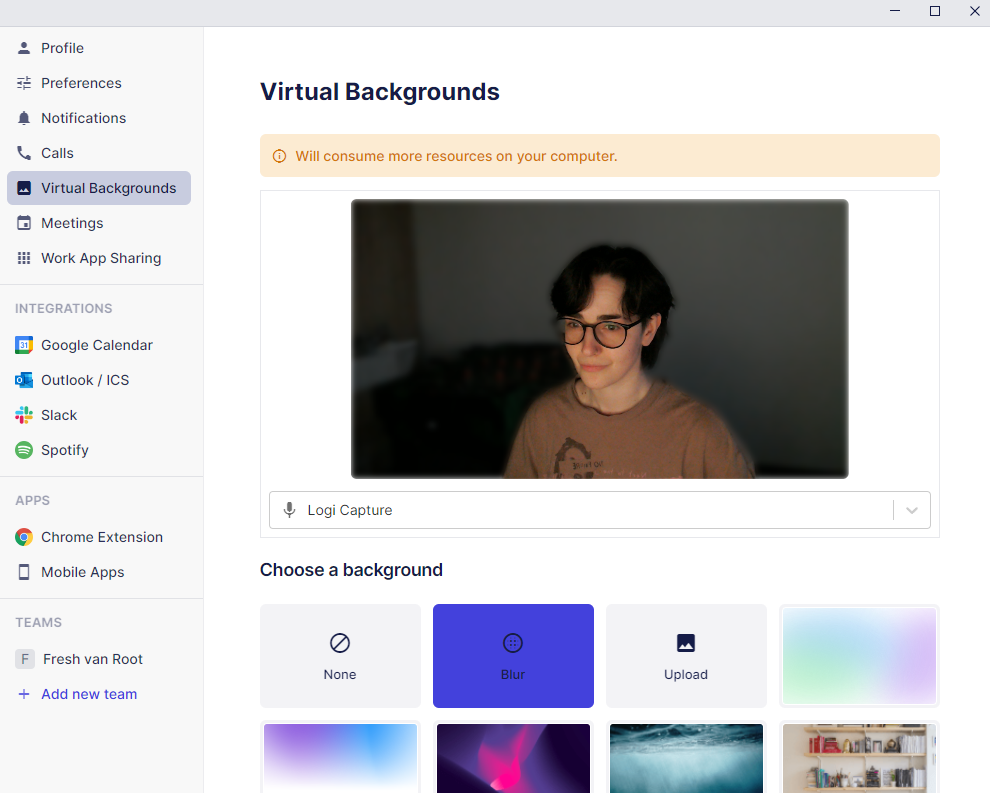
It’s a small detail, but it makes internal meetings feel a bit more polished without any effort.
Collaboration
Screensharing opens at the moment we need it, with no setup or delays. Shared cursors make it easy to point, highlight and walk each other through ideas directly on screen.
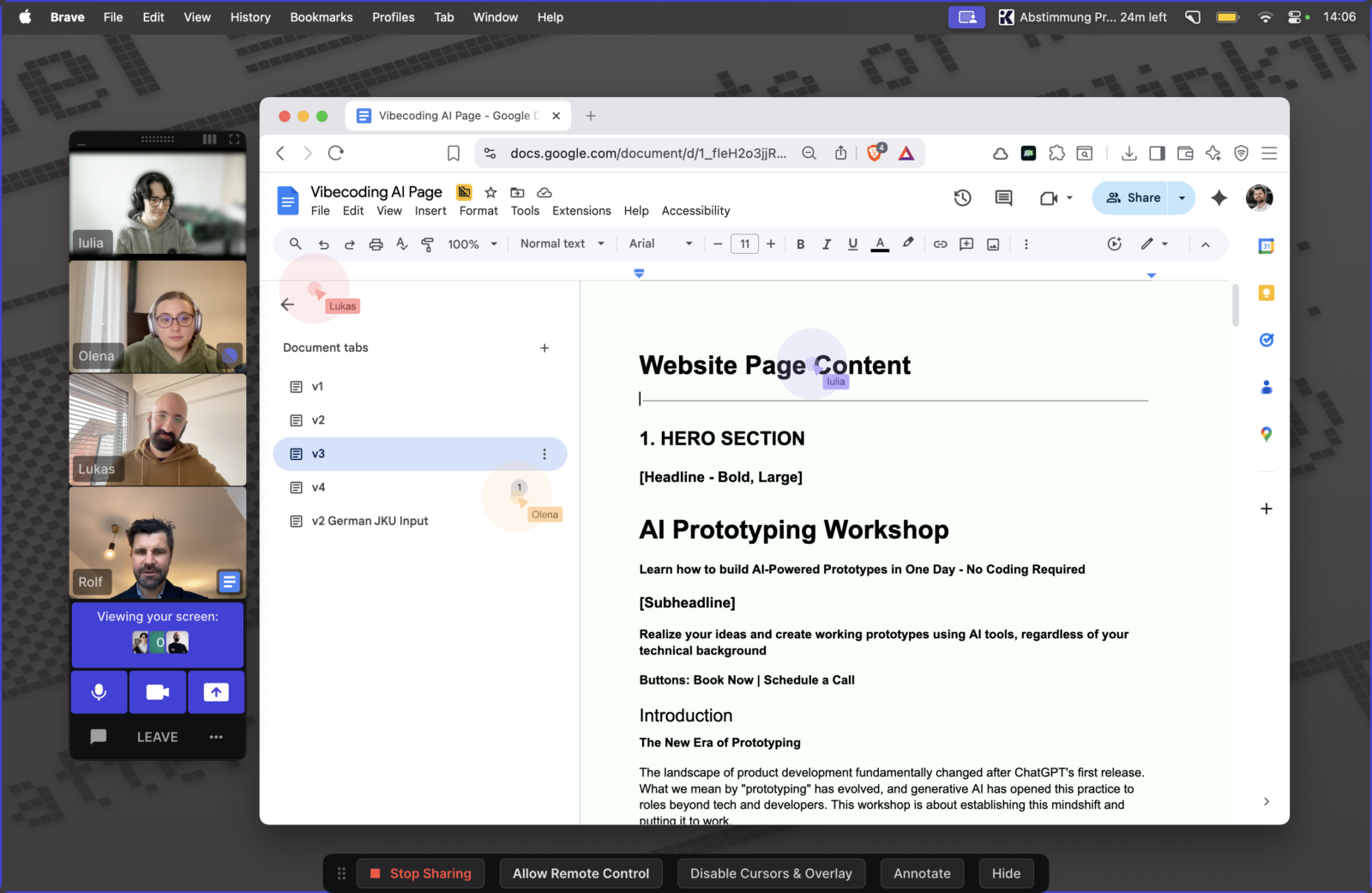
When someone is stuck and explaining the issue would take longer than solving it, remote control lets us step in and handle it right away.
Most of our quick syncs happen in simple one-to-one calls like this.
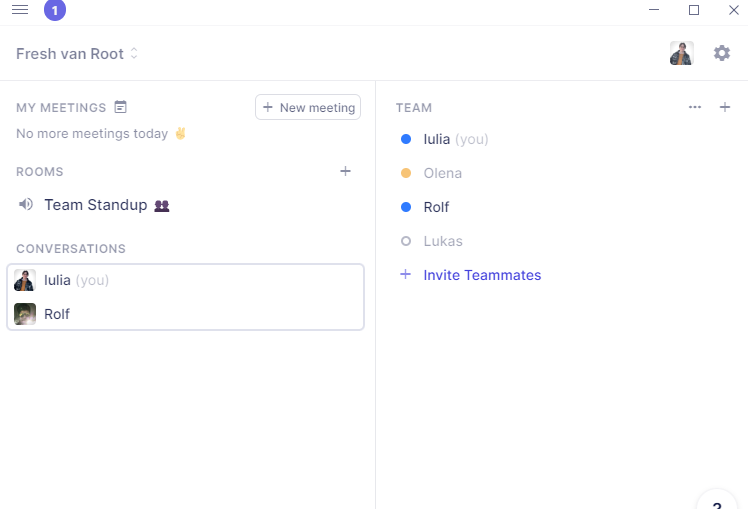
This keeps our syncs as short as they’re meant to be instead of drifting into full meetings.
A design review, bug fix or content edit that would stretch into a longer thread becomes a short, efficient screenshare.
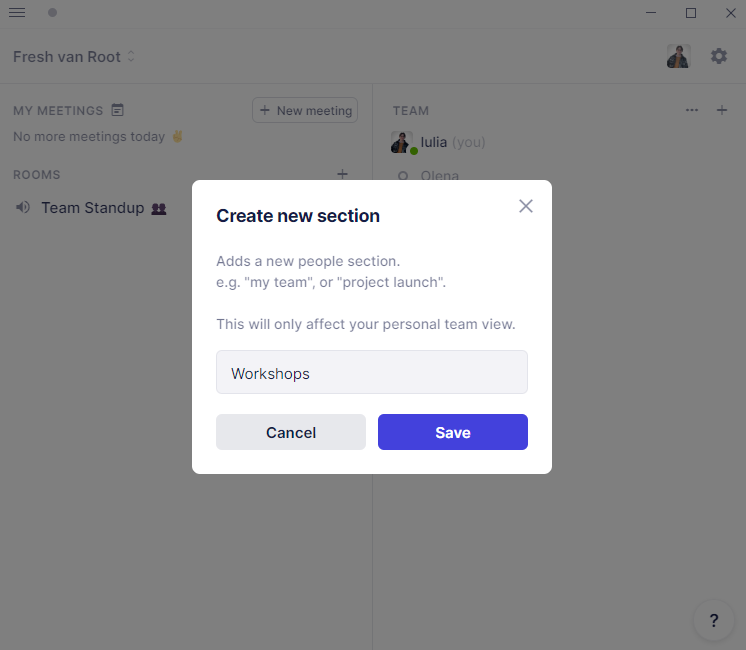
The app also lets us organize our workspace with custom sections. We group teammates by projects or workshops so the right people sit together. It keeps our space tidy and makes it easier to jump into the conversations we need.
Working Side by Side
Tables and rooms recreate the natural rhythm of being in the same office. Tables are where we sit when we want to be reachable while working independently. It creates that low-level awareness that remote teams usually miss. Rooms are for more focused discussions, internal workshops or ad-hoc syncs.
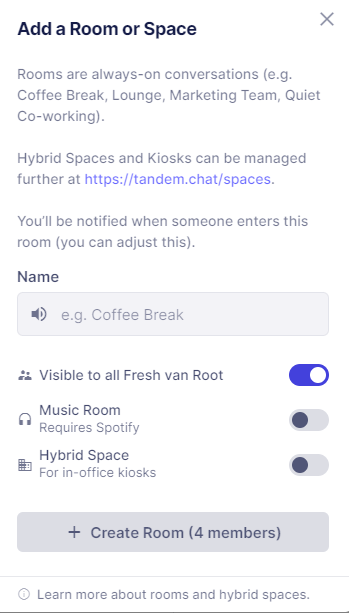
These spaces make our virtual workspace feel alive instead of static. And that matters more than people expect in a remote setup.
Integrations
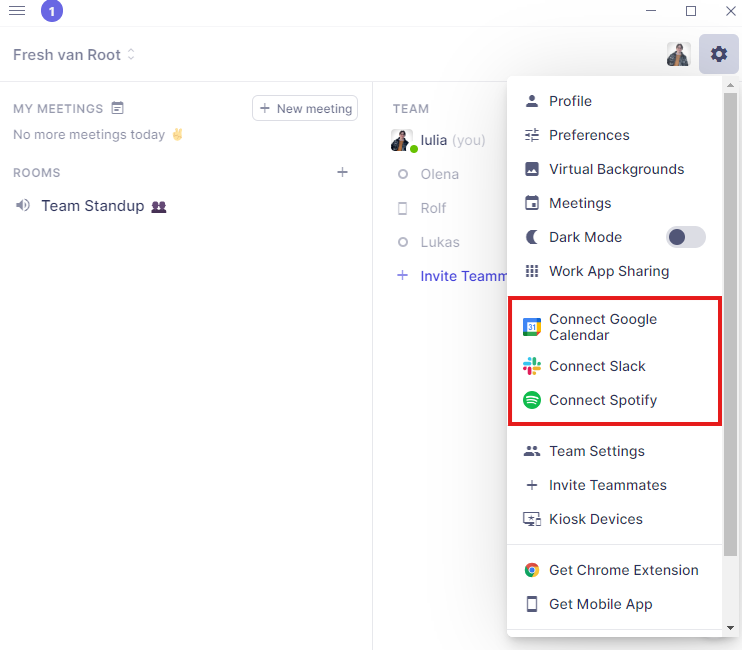
The integrations are where Tandem becomes more than a communication tool. It becomes a live map of our working environment. With Figma, Cursor, Linear, VS Code, Slack, GitHub, Trello, Google Calendar and others connected, we understand what the team is doing without asking.
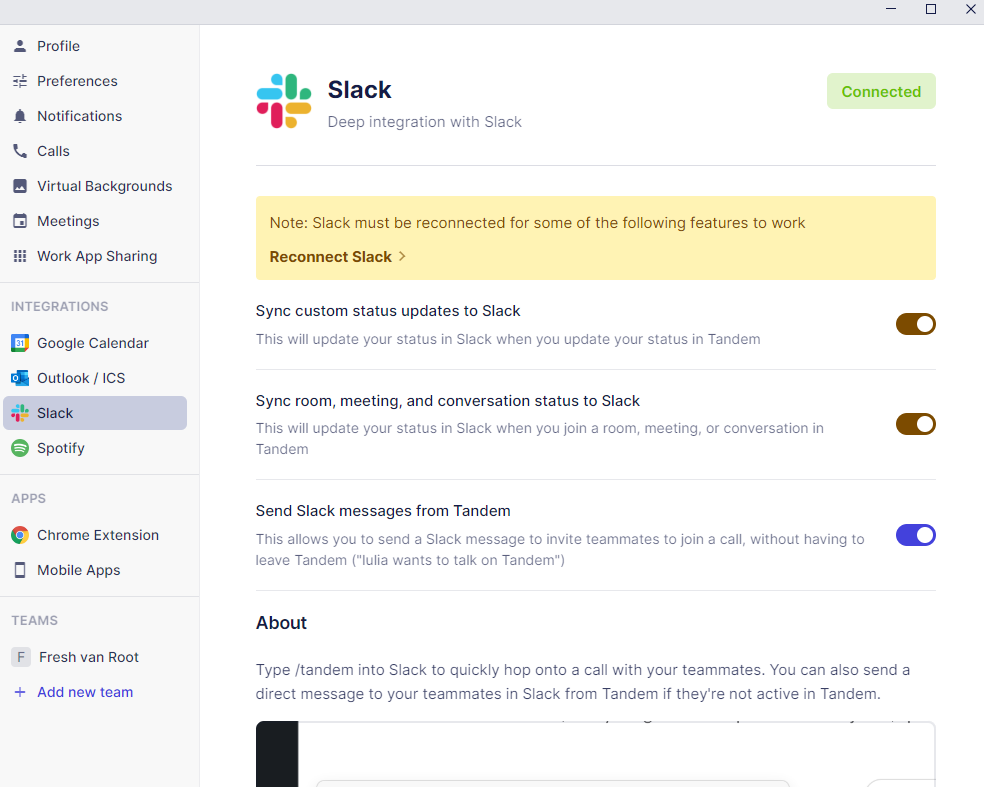
We avoid interrupting deep work, and we initiate conversations when alignment is most likely. The result is faster problem-solving and fewer distractions.
For a small team, these micro-optimizations turn into real gains. The team stays in sync, interruptions drop, and decisions happen faster.
How Much Does it Cost?
We used Google Meet and Zoom for years because… everyone does. They’re reliable, familiar, and built into everything. But once we started using Tandem for actual day-to-day collaboration, it became obvious how differently it’s built.
We’ve also been on their free plan for years, and it’s surprisingly generous for a small team, which made the switch even easier.
On pricing, it’s in the same range as the big players, sometimes cheaper depending on your plan. But for the amount of time it saves us, it feels more efficient.
The difference is that Tandem gives us “micro-collaboration”: quick fixes, quick alignment, quick decisions. Those small moments add up fast.
| Plan Name | Max Members | Monthly Cost (Billed Monthly) | Key Features Included |
| Free | Up to 4 members | $0 | 5 call hours/day |
| Small Teams | Up to 10 members | $59 | Unlimited calls, Phone dial in/out, Priority Support. |
| Medium Teams | Up to 50 members | $119 | All Small Team features. |
| Large Teams | Unlimited members | $449 | All features, Scalability for large organizations. |
You don’t hear people talk about Tandem the way they talk about Zoom or Meet. But it quietly became the one we rely on the most.
Conclusion
Tandem is more than a communication tool. It has genuinely changed the way we work together by making remote collaboration feel natural again. Instead of relying on scheduled calls and rigid meeting structures, we now have a workspace where it’s easy to check in, share progress and solve problems in the moment.
For small teams, cutting out friction and bringing back those five-minute spontaneous chats adds up to real productivity gains every week.
If your team feels weighed down by constant scheduling, video call fatigue or the lack of natural interaction, Tandem is worth trying. It shifts your team from planning collaboration to actionable steps, and that difference is noticeable.
Recommended Article
➡️ 2 Years with Rize: Can a Productivity Tracker Change Your Work Habits? (App Review)
➡️ How MCP Connects Your AI Assistant to Real Work (Linear Example)
➡️ Mastering Google Gemini: A Guide to Its Core Features (Gems, Canvas, Deep Research)