
You have an idea. It is clear in your head. You can see how it works, who would use it, what problem it solves. But you cannot show it to anyone. You cannot test whether it actually works. You cannot get feedback.
To build it, you need a developer, a budget, a spec document, and probably three months. So the idea stays in your head. Or in a notes app. Or in a Figma file that never becomes anything.
That is Level 0. That is where most ideas used to die.
This guide is about how AI is changing that, and what happens when you decide to take an idea further. It is based on my own experience building apps with AI as a non-developer, and on a webinar I ran in March 2026.
What people are already building
Before we get into the levels, here is a quick look at the range of things non-developers are actually shipping with AI today.
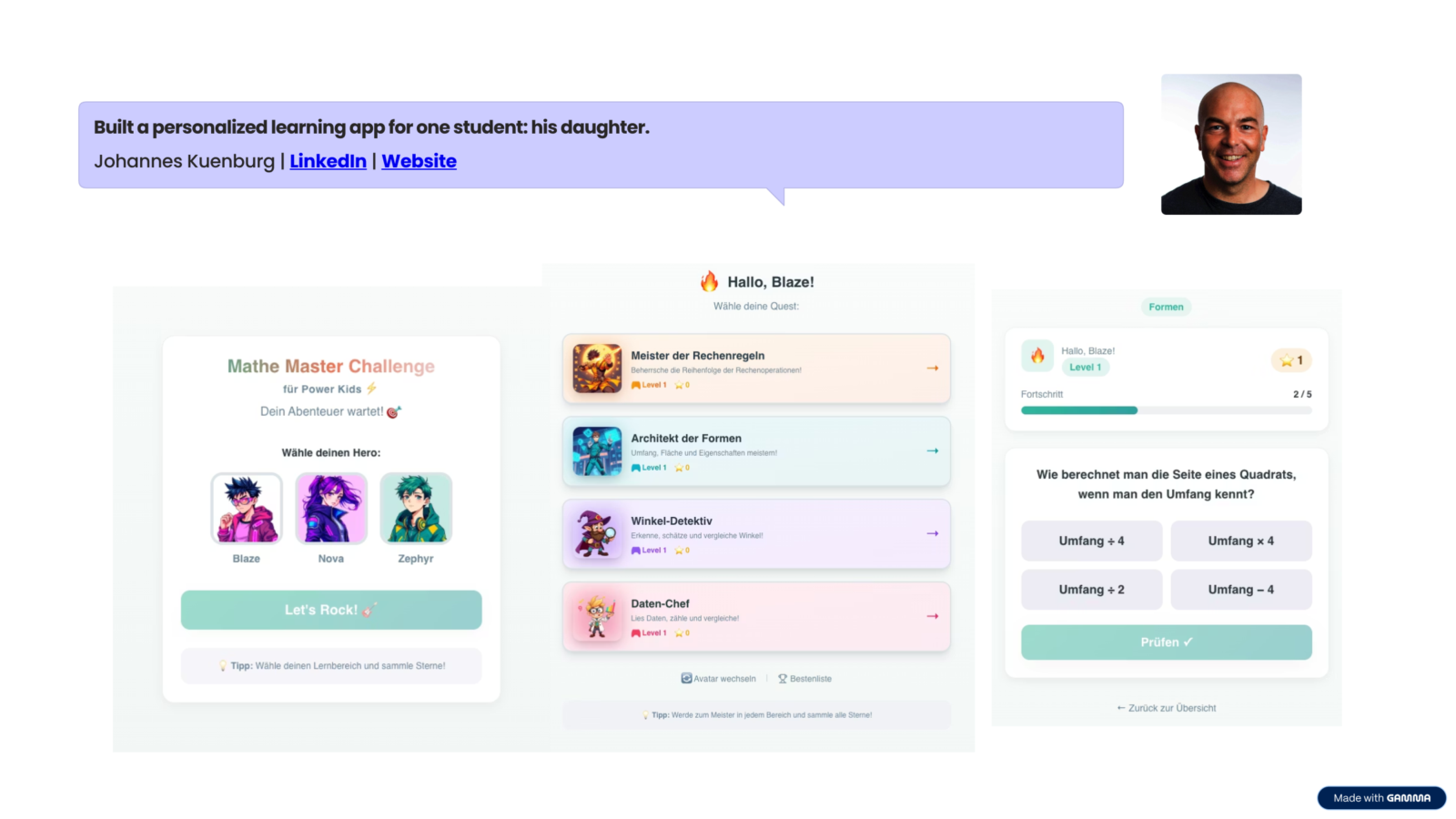
Johannes built a math learning app for his daughter using Lovable. It worked on the first prompt.
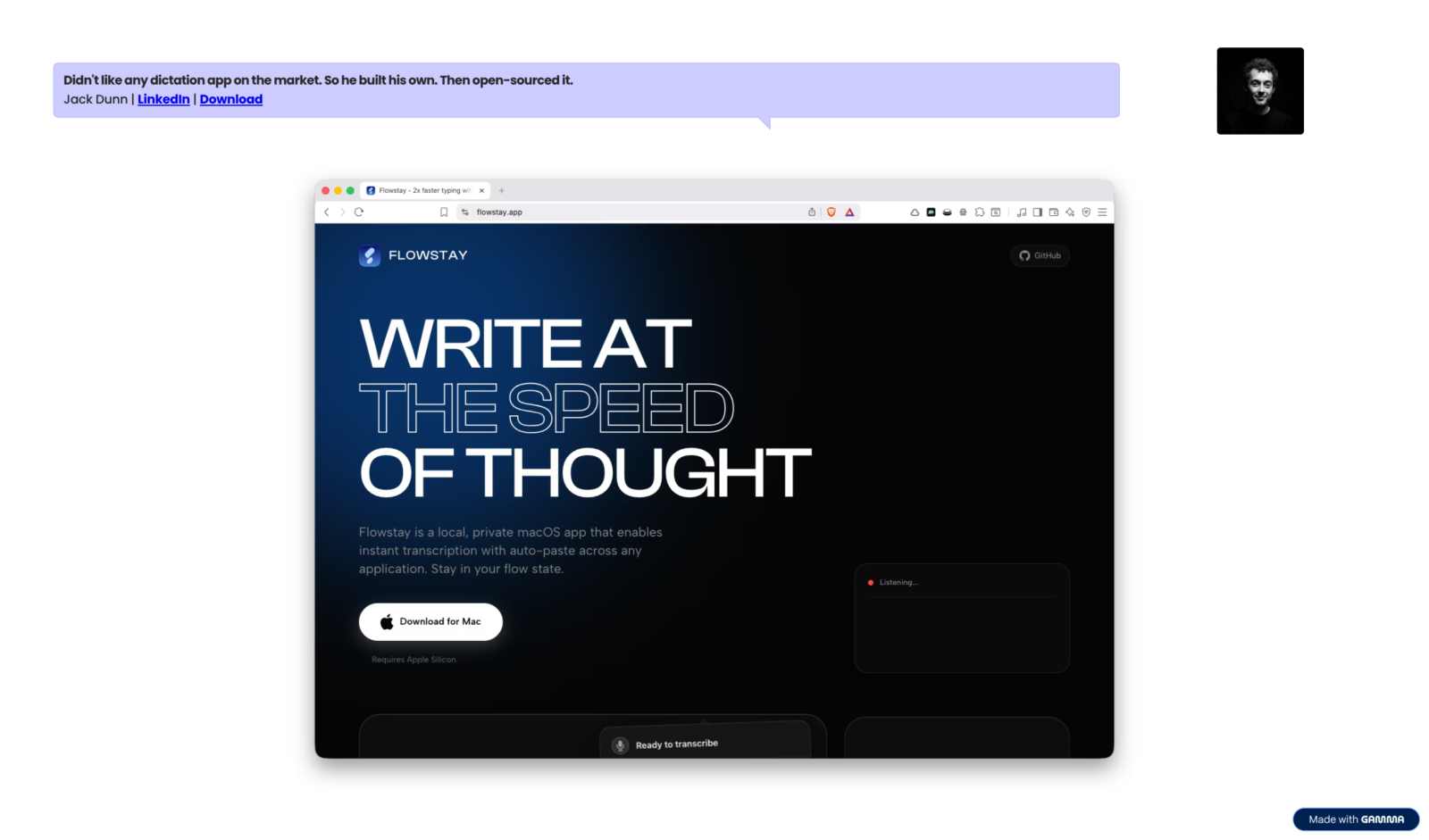
Jack, also not a developer, built a voice dictation app for MacOS, decided the existing options were not good enough, and open-sourced it.
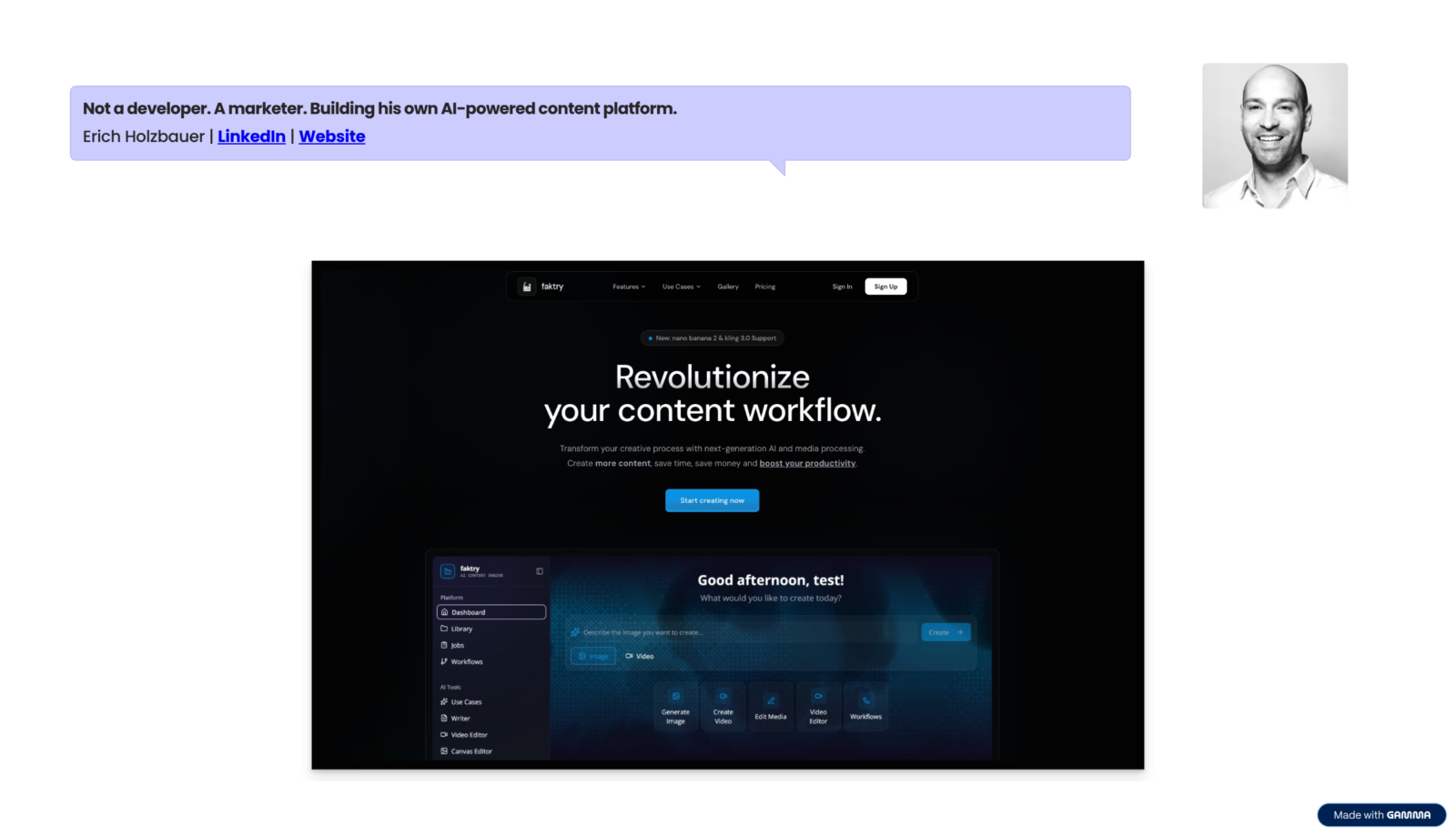
Erich, a marketer, built a full content workflow app with AI features built in.
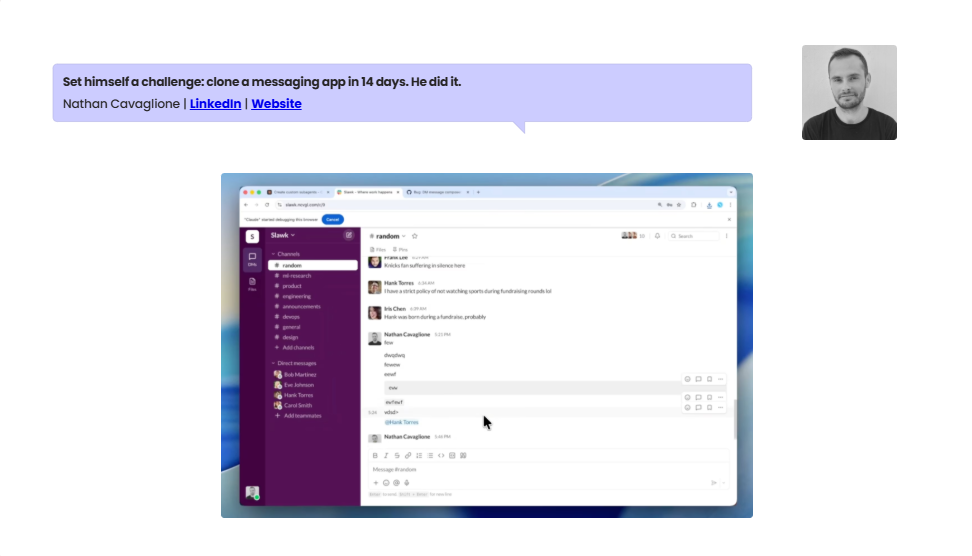
Nathan set himself a challenge: clone a messaging app in 14 days, posting the journey on LinkedIn as he went.
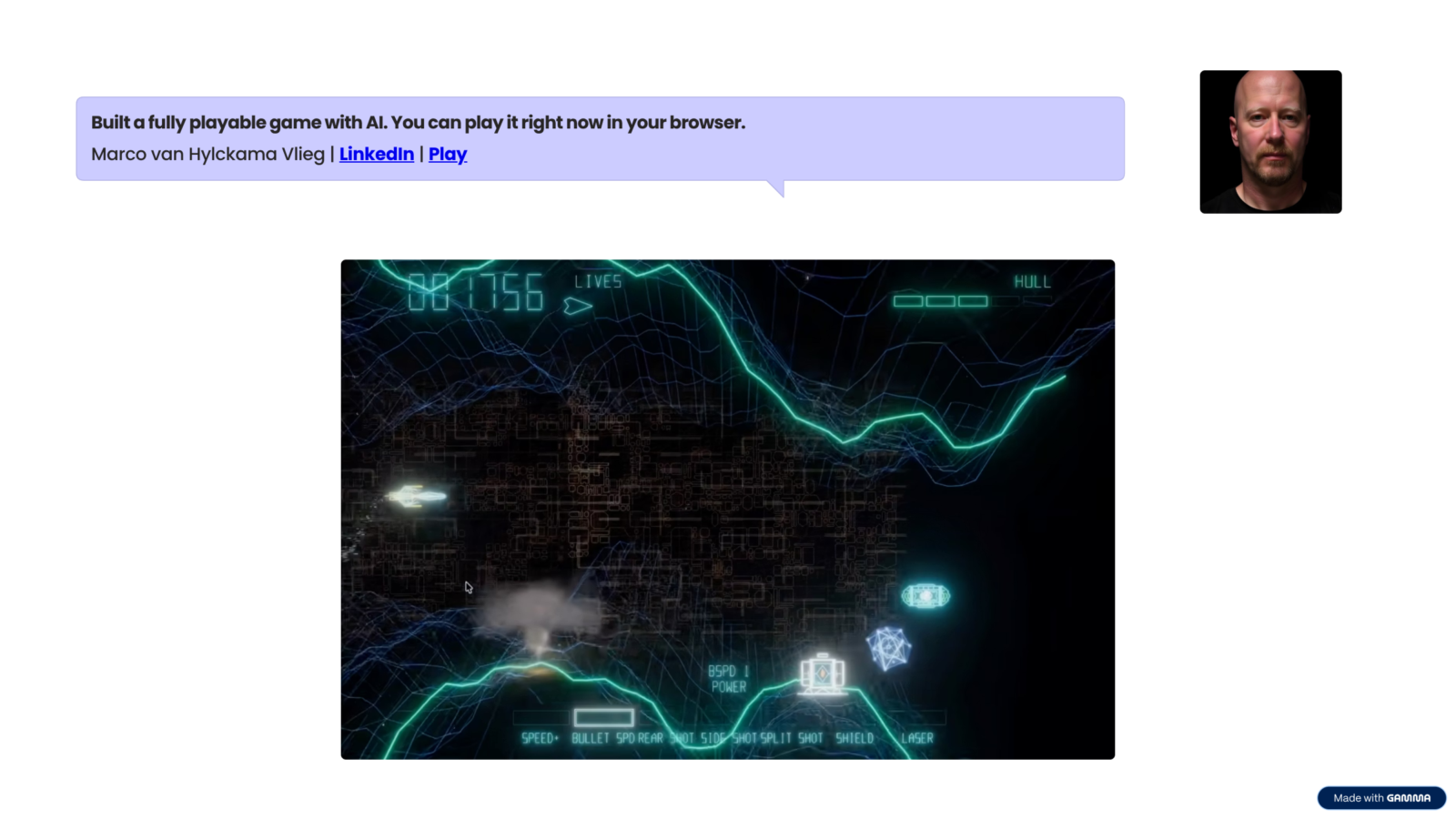
Marco built a fully playable space shooter game that runs in the browser.
These are not developers. They are people with an idea and a clear enough description of what they wanted to build.
All of these apps look different. Some took 30 minutes. Some took weeks. Some are personal tools nobody else will ever use. Some are now used by teams around the world.
Understanding the difference between them is what this guide is about.
Why this is different now
A few years ago, you could already ask ChatGPT to write code. It worked, to a degree. But the experience was fragmented. You got code back, copied it somewhere, ran it locally, hoped it worked, pasted it into a different tool to host it, and repeated the cycle every time something needed changing.
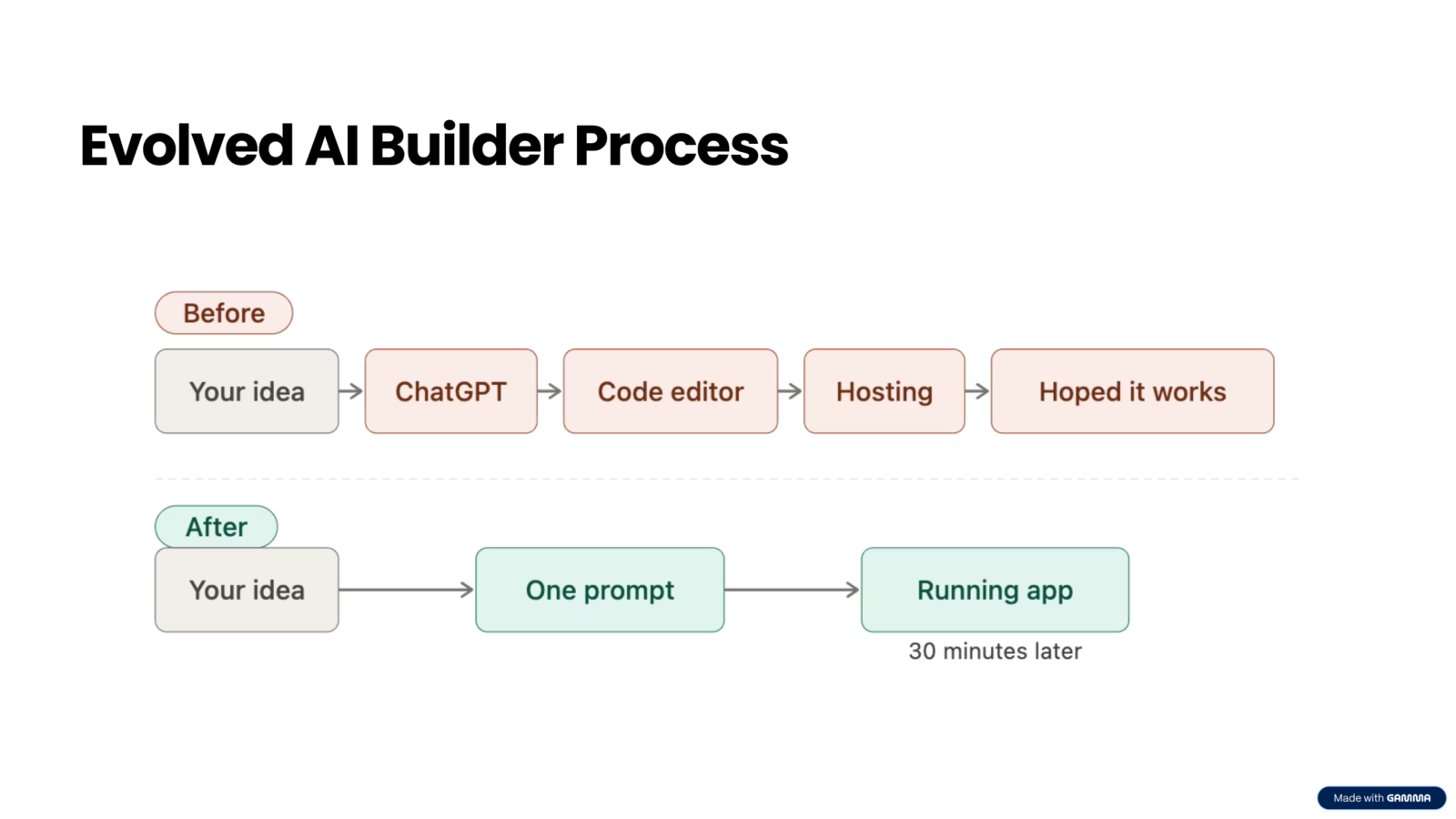
What changed is not just the quality of the AI. It is the workflow. Platforms like Lovable, Replit, v0 by Vercel, and Cursor connect the full chain: you describe what you want, the AI builds it, and you can preview, iterate, and deploy from the same place.
You do not have to worry about the steps in between anymore. That shift is what makes the levels possible.
The 4 Levels: A map for your journey
Every project starts at Level 0 and can stop at any point along the way. Not every project needs to go further than Level 1 or 2. Knowing where you are and where you want to go is more useful than trying to skip ahead.
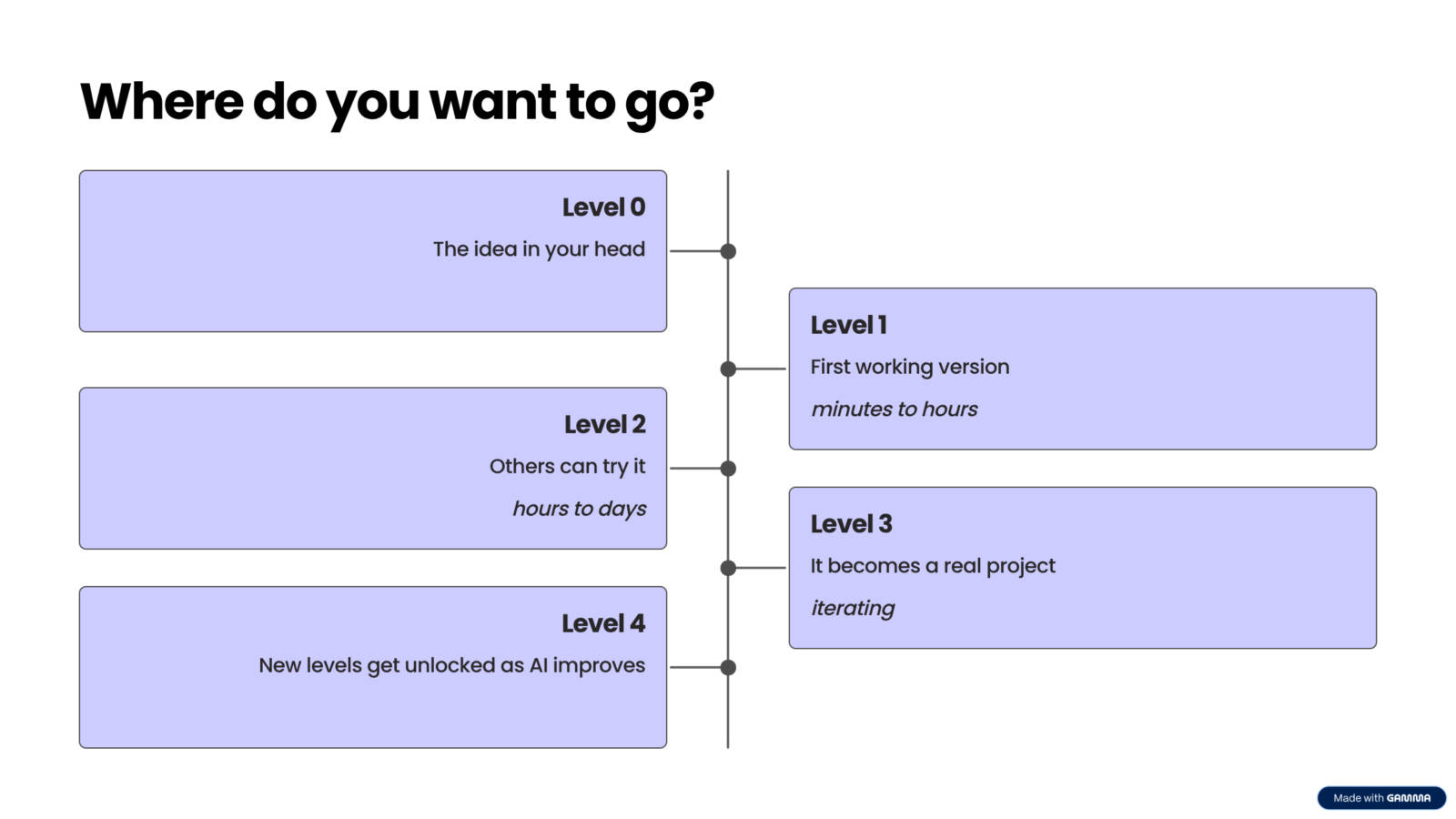
- Level 0: The idea exists only in your head
- Level 1: A first working version, built in minutes to hours
- Level 2: Others can use it, hours to days of work
- Level 3: It becomes a real, ongoing project
- Level 4: New levels get unlocked as AI and tooling improve
The rest of this guide walks through each level in detail.
Level 0: The idea in your head
This is where every project starts. And, until recently, where most of them ended.
The problem is not that the idea is bad. The problem is that turning an idea into something testable used to require a developer, a budget conversation, a specification document, and weeks of waiting. For most people in non-technical roles, that threshold was too high. Ideas sat on backlogs indefinitely.
AI has lowered that threshold dramatically. The question is no longer whether you can build something. You almost always can. The question is what you do with it once you have a first version.
Level 1: Your first working app
A working app. 30 minutes. No coding experience.
Level 1 is your first working version. It runs somewhere, you can click through it, and it does the core thing you wanted it to do.
It probably only works on your machine or in your browser session. It probably has rough edges.
That is fine. That is exactly what Level 1 is supposed to be.
A real example: building a SaaS dashboard in 30 minutes
I had a CSV file with 10,000 rows of usage data from an app I was running. I was updating graphs in Google Sheets manually every week, which was slow and error-prone. I wanted a dashboard app that would let me drag in the CSV and see the key metrics automatically.
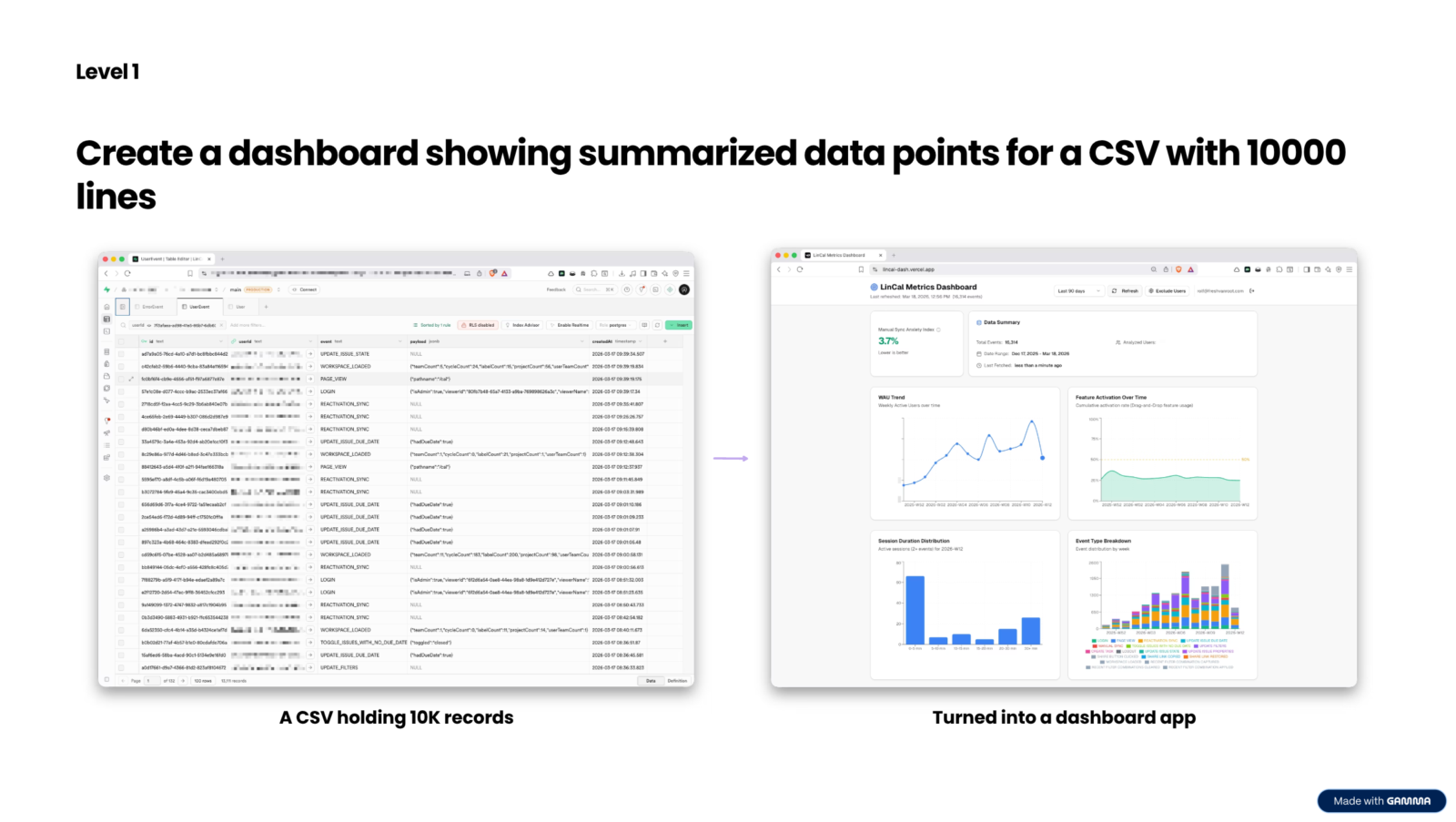
Here is how I built it.
First, I uploaded the CSV to Claude and asked it to help me define the requirements for a dashboard app. What metrics mattered most, how they should be calculated, what the interface should do.
Claude helped me write a detailed specification.
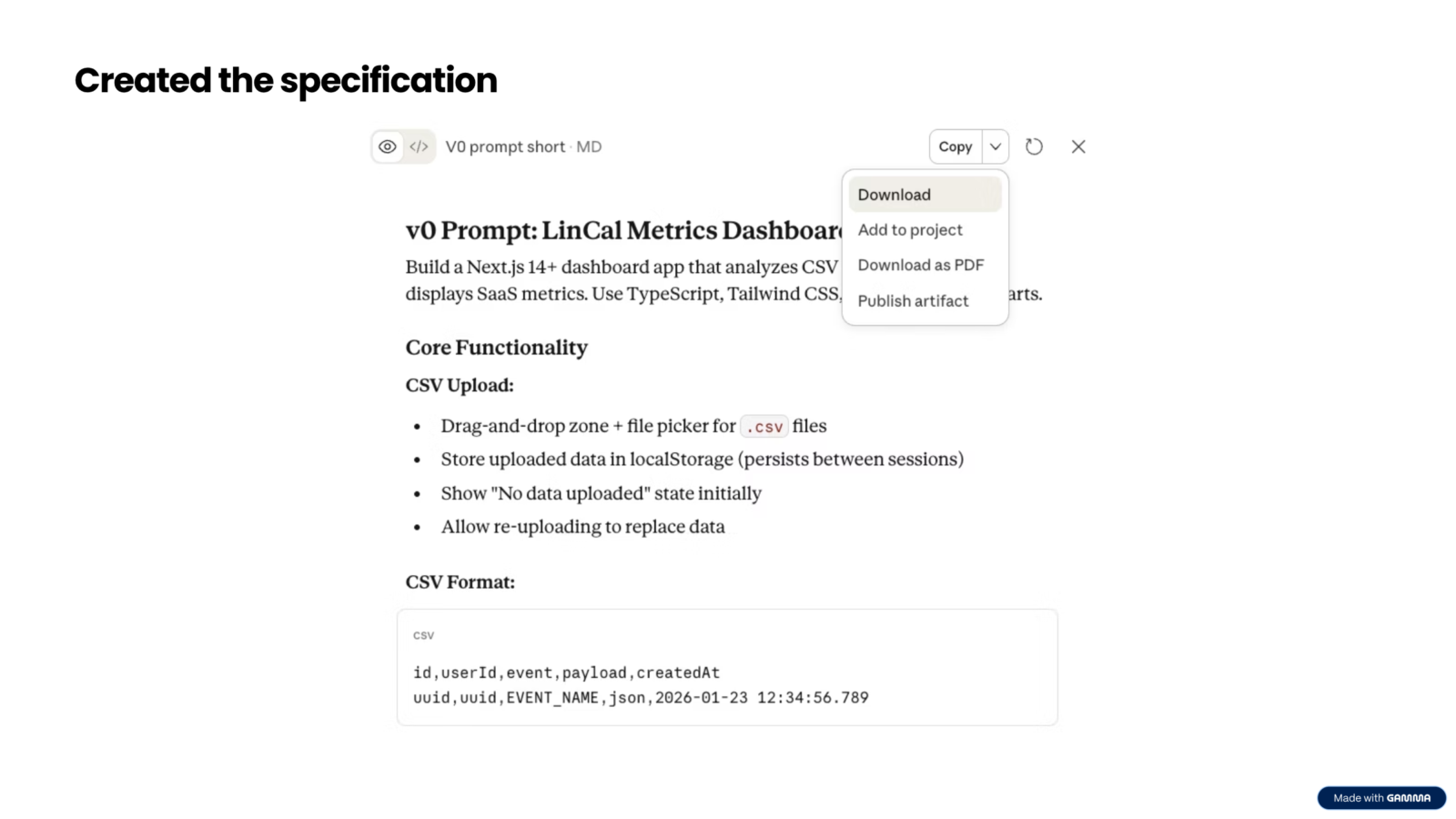
Then I took that specification and dropped it into v0 by Vercel, along with the CSV file.
The prompt was simple:
“Check the attached specification and start working on it. Within two or three minutes, the first version was live in the browser“
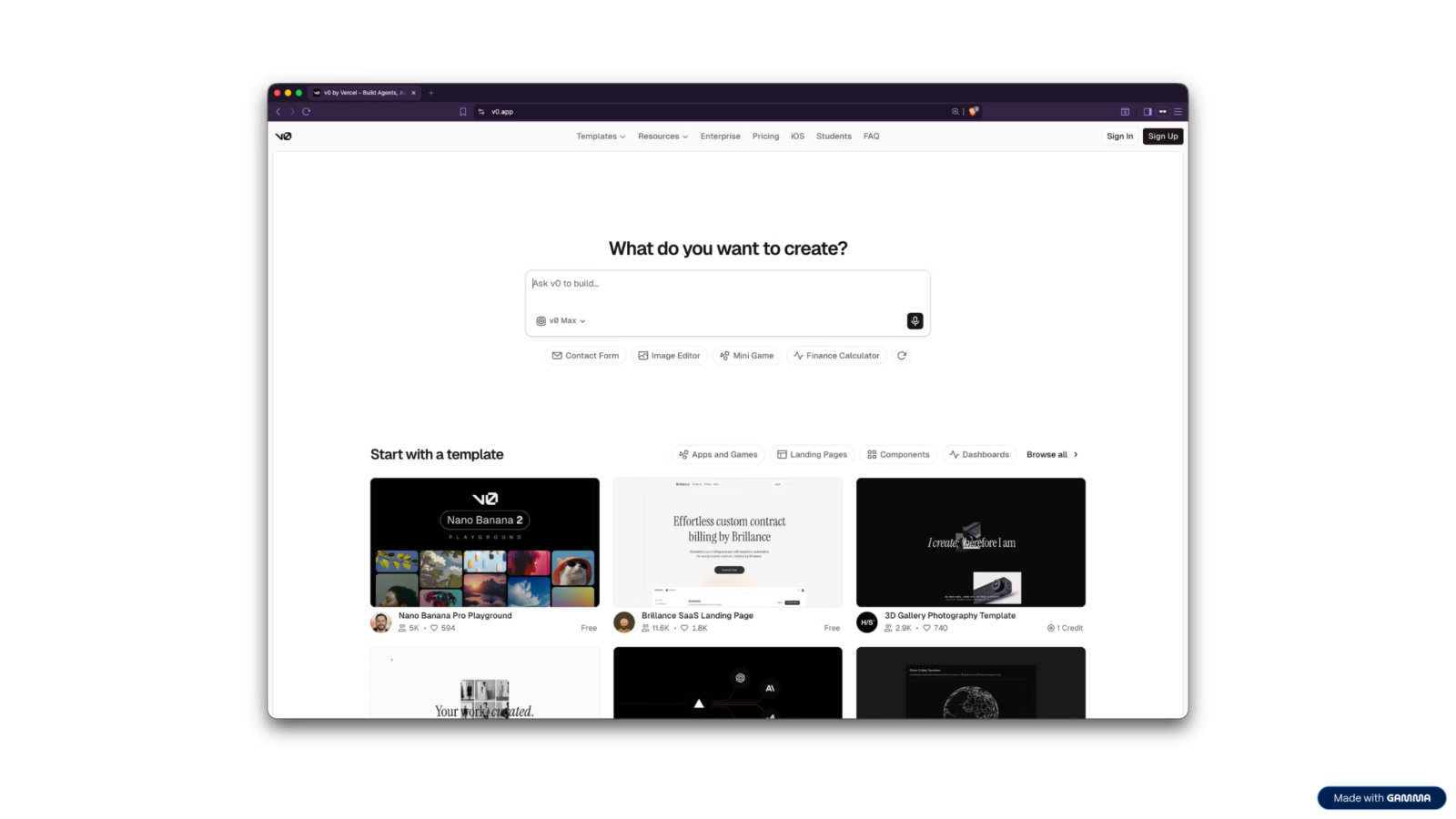
It did not do everything perfectly. But it had a drag-and-drop CSV upload, it showed the right graphs, and I could already see the data laid out the way I wanted. Three small follow-up prompts fixed a bug and added tooltips.
Total time: about 30 minutes.
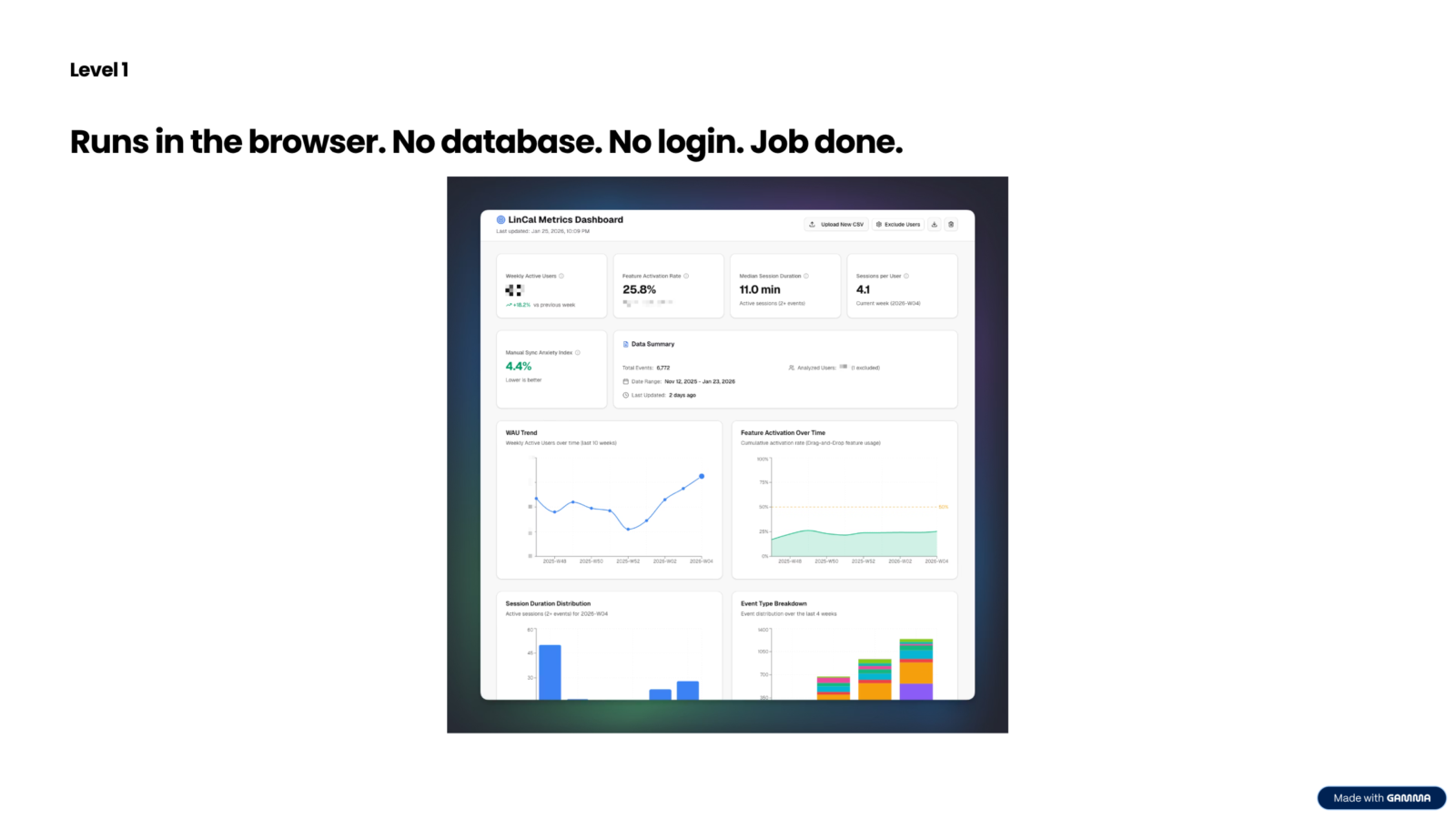
The important thing about this Level 1 version is what it could not do. The data lived in the browser. If someone else opened the URL, they would see nothing without also having the CSV file.
There was no login. There was no live data connection. For my purposes at that moment, that was fine. It did exactly what I needed.
That is the point of Level 1. It answers the question: can this actually be built? Almost always, the answer is yes.
For a full walkthrough of how this dashboard was built, read the original blog post.
Level 2: Off your machine
Out of your head. Into the world.

Level 2 is when you want someone else to use what you built. That single requirement changes everything.
It does not mean the app needs to be perfect. It means it needs to work for someone other than you, on a device other than yours, without you sitting next to them explaining how it works.
Taking the dashboard to Level 2
The dashboard I built at Level 1 was useful, but it only worked on my machine. I wanted to share it with the small team working with me on LinCal, so they could check the metrics themselves without asking me to run a report.
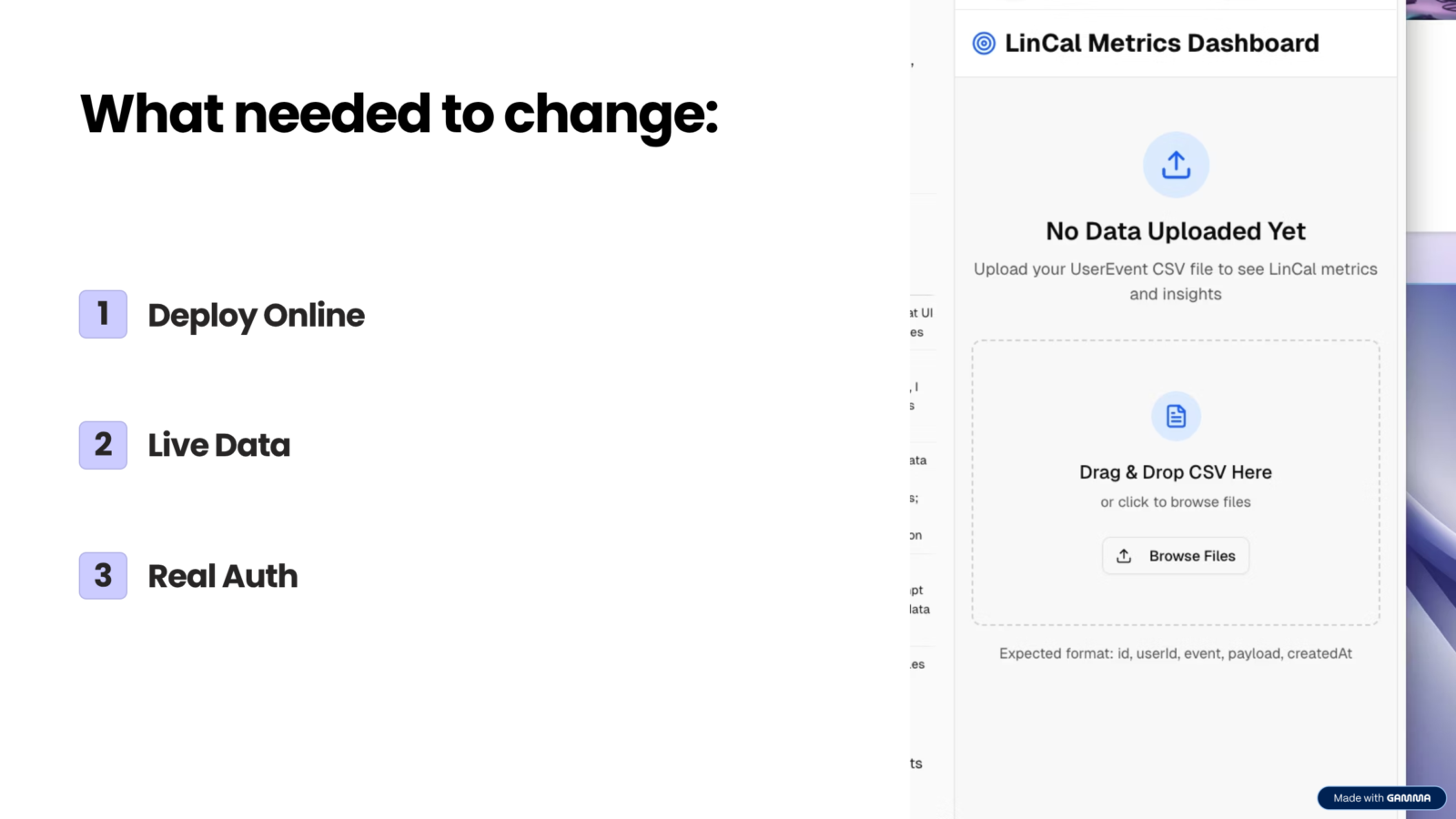
That meant three changes:
- Deploy it online so it is accessible via a real URL
- Replace the manual CSV upload with a live connection to our database
- Add authentication so only the right people could log in
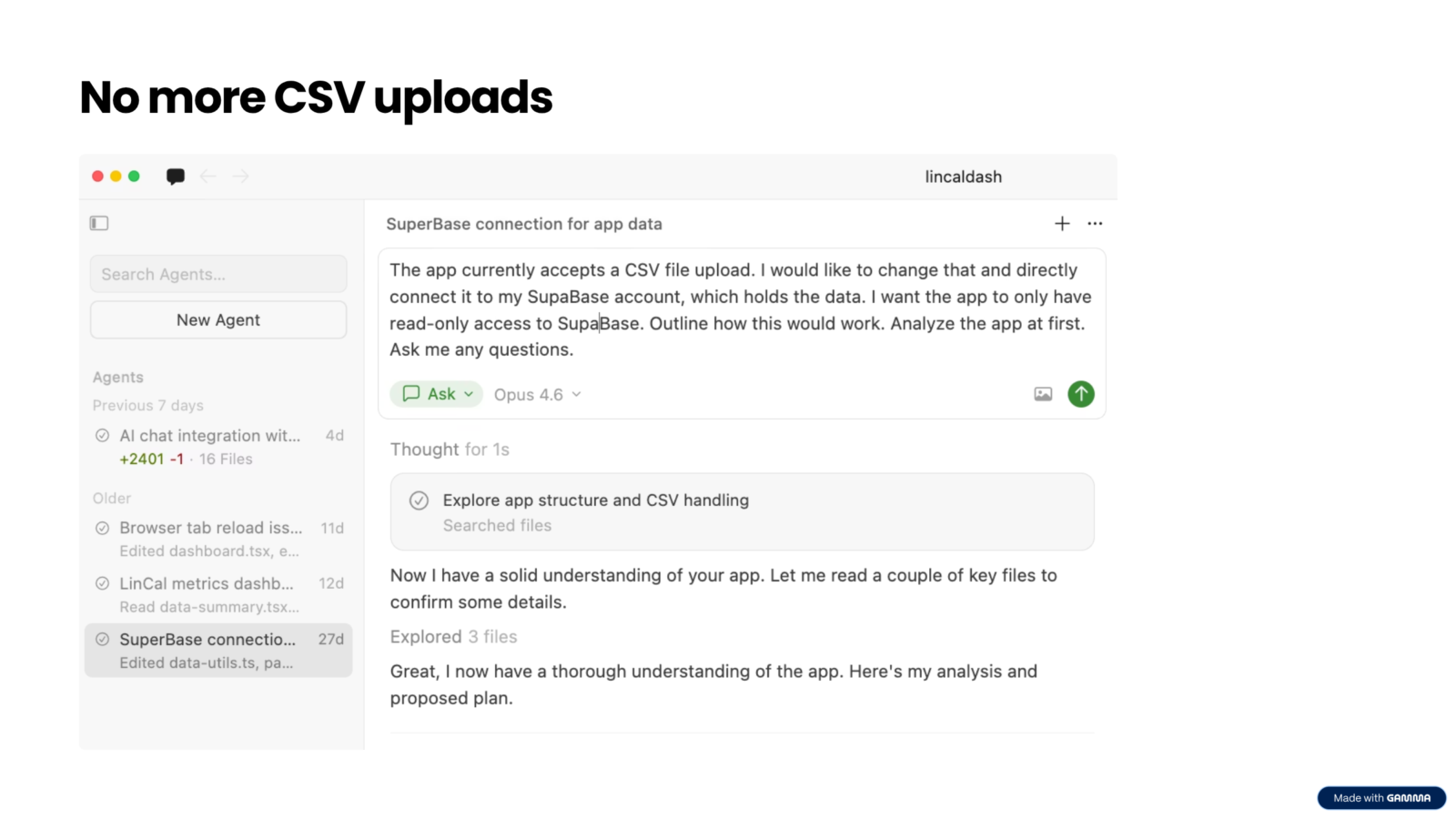
Because the project was already connected to a GitHub repository from the v0 setup, the transition to Cursor was straightforward. I opened the repo in Cursor and started prompting with what I needed.
The first prompt was about the data connection. I described what I wanted: remove the CSV upload and connect directly to our Supabase database, with read-only access so nothing could be accidentally changed.
Cursor walked me through the process, explained the complexity at each step, and implemented the changes.
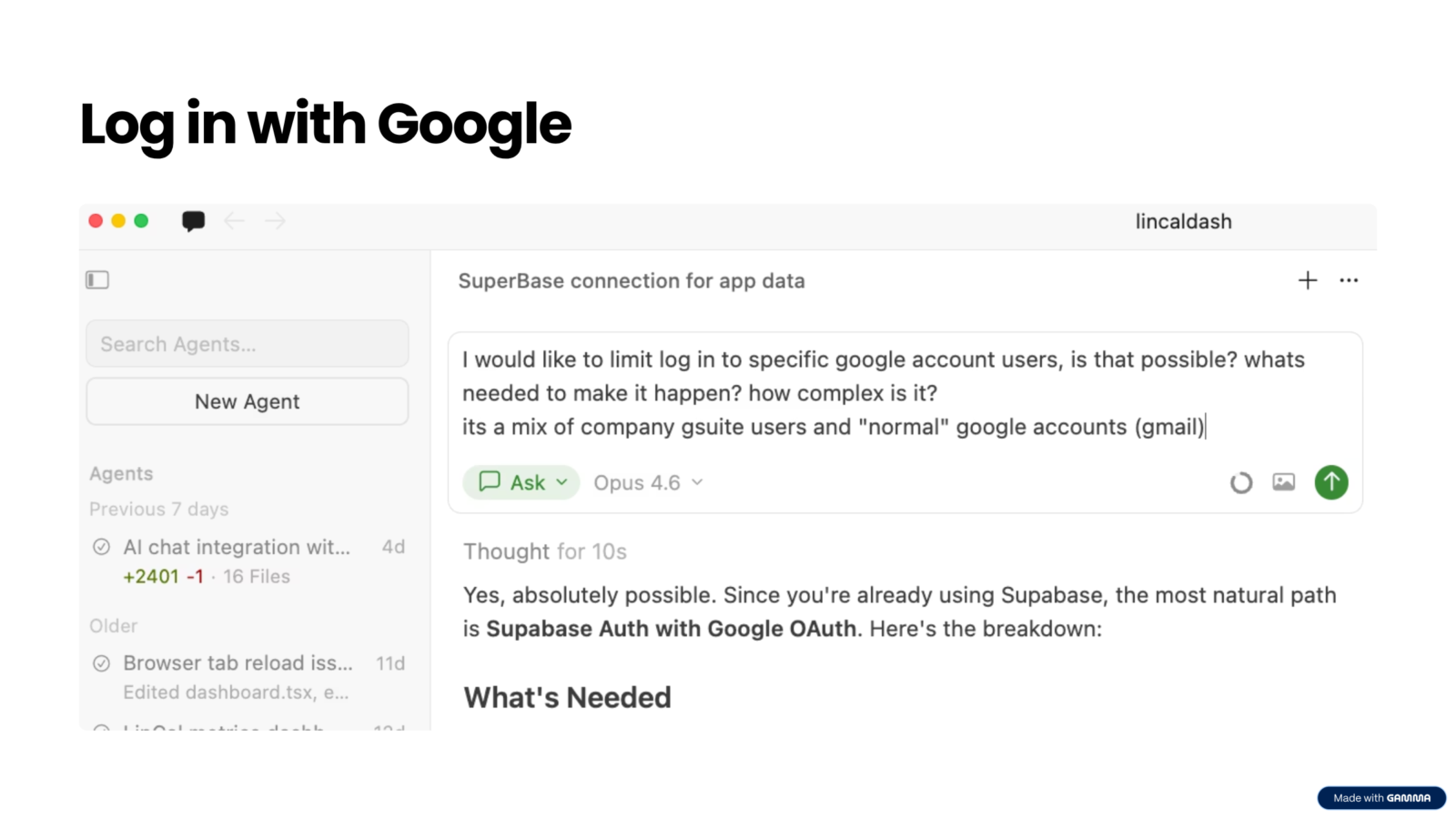
The second prompt was about authentication. I wanted to limit access to specific Google accounts. Some were team members, some were freelancers.
Again, I had never done this before. Cursor guided me step by step.
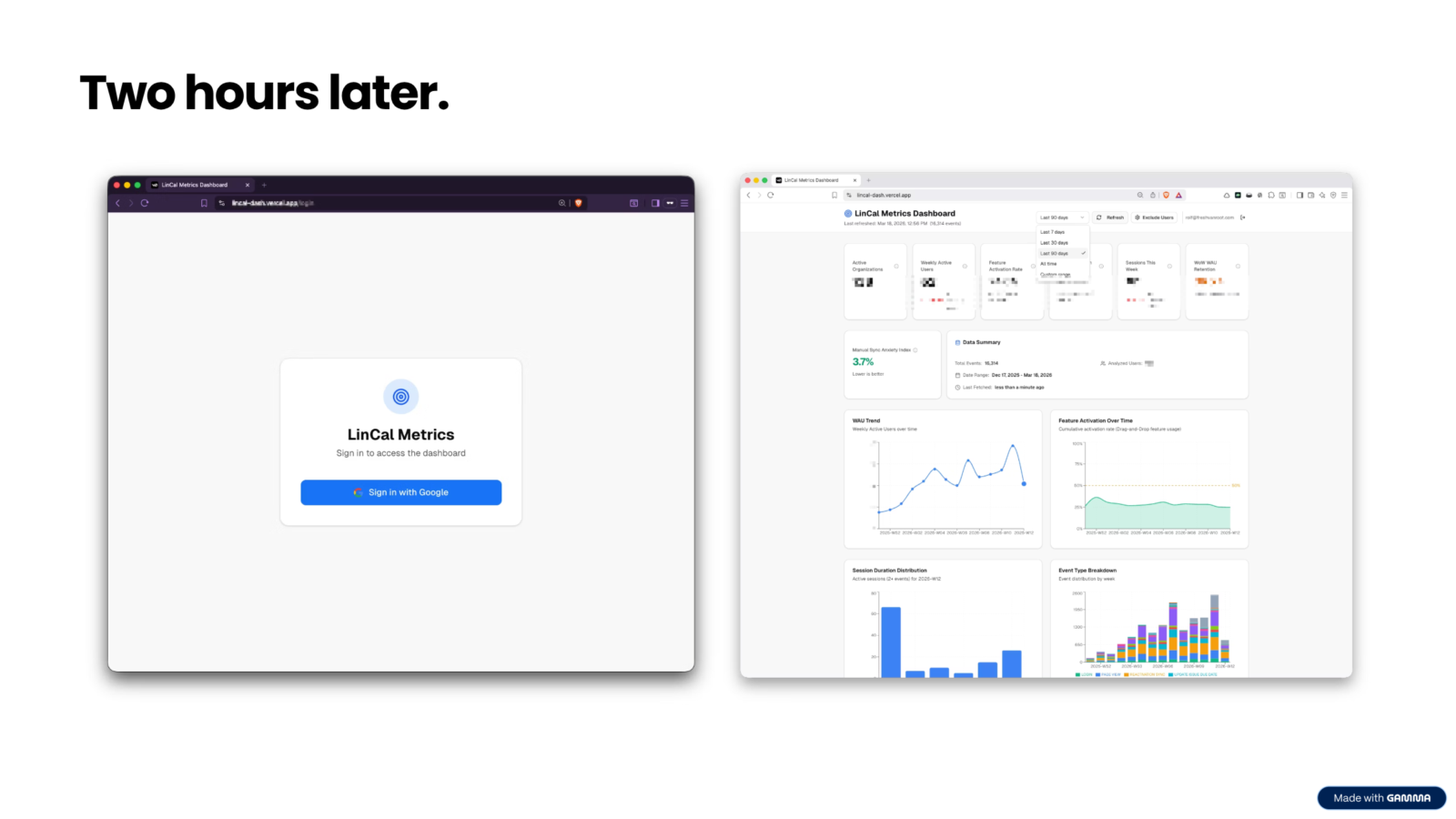
Two hours later, the app was a different thing:
- You could log in with a Google account.
- The data loaded automatically from the database.
- The CSV upload button was gone.
- I could send the link to anyone on the team and they could use it immediately.
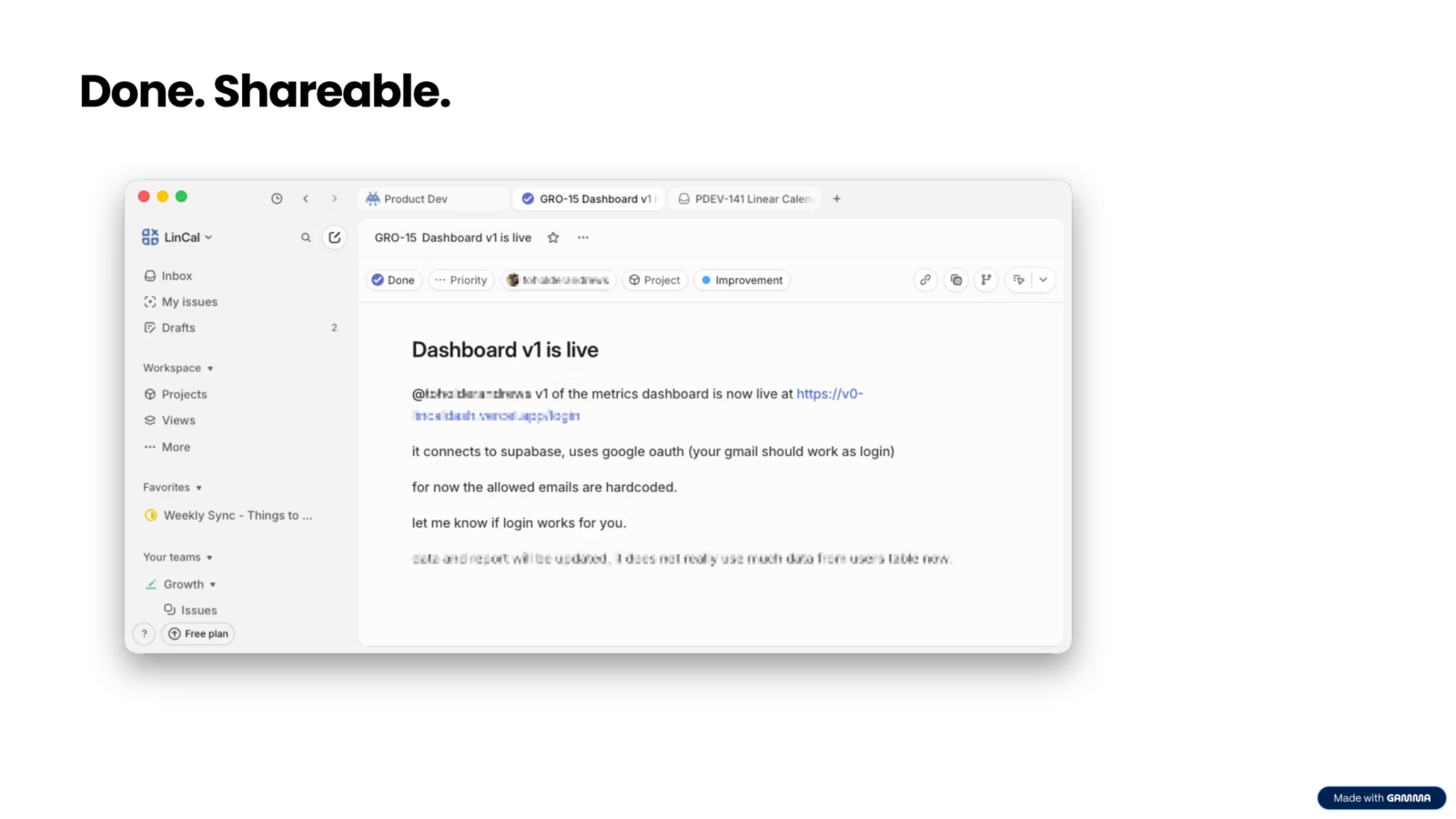
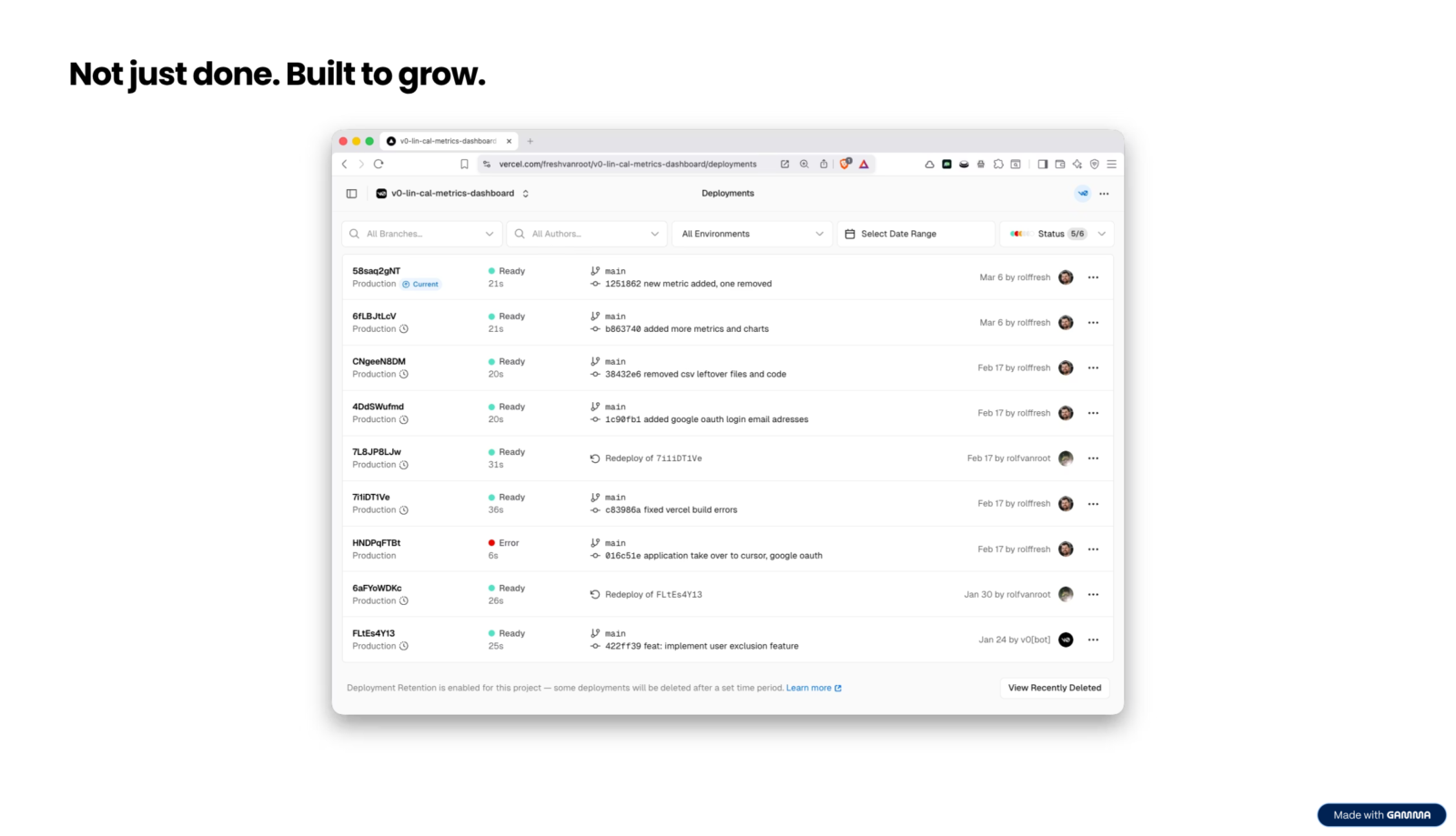
The gap between a quick hack and a serious project is shrinking. What used to take a skilled developer days to set up now takes a non-developer two hours of guided AI iteration.
When Level 2 is enough
Not every project needs to go further than Level 2. The dashboard is a good example. It lives at Level 2 and that is the right place for it. A small fixed set of users, no public access, no sensitive customer data. It does its job and it is done.
Most projects are like this. Level 2 is not a stepping stone. It is a valid destination.
The decision fork: Where does this go next?
Sometimes a project outgrows Level 2. Before you decide what to do next, you need to answer a few questions honestly.
The answers determine your tool, your timeline, and your cost.
Who needs to use it?
If it is just you or your team, Level 2 might already be enough. A limited set of users, controlled access, no public exposure. If you want anyone to be able to find and use it, you are heading toward Level 3.
What can users do with it?
A read-only app that displays data is simpler than an app where users can create accounts, save things, edit content, or interact with each other. Every interactive feature adds complexity. Every piece of user-generated data creates responsibility.
What data does it handle?
If the app handles customer data, personal information, or anything sensitive, you need a privacy policy, secure data storage, and potentially compliance with regulations. This is not optional once you go public. It is one of the first things real users will ask about.
How technical are you willing to get?
Not everyone wants to learn the inner workings of a deployed app. That is completely valid. You can take a prototype to Level 1 or 2 and hand it off to a developer who takes it from there.
If you are comfortable getting more technical, tools like Cursor will guide you through the complexity.
If you want someone to do it for you, the clickable prototype you built is already a much better brief than anything you could have written.
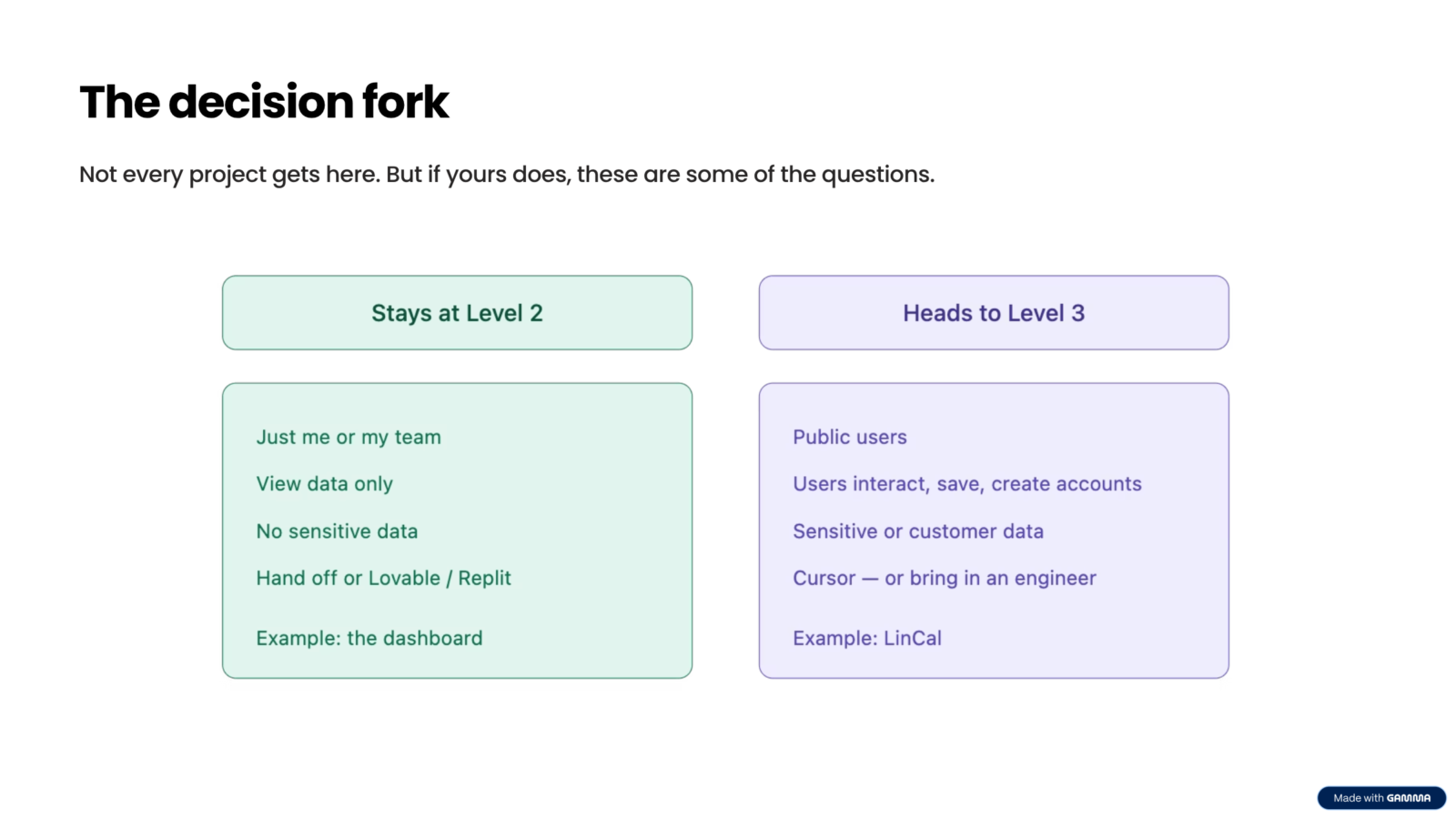
These four questions are a starting point. There are many more that come up as soon as you decide to go public: authentication setup, hosting choices, database selection, privacy policy, costs, security compliance. Each of these deserves its own conversation.
Level 3: When it becomes a real project

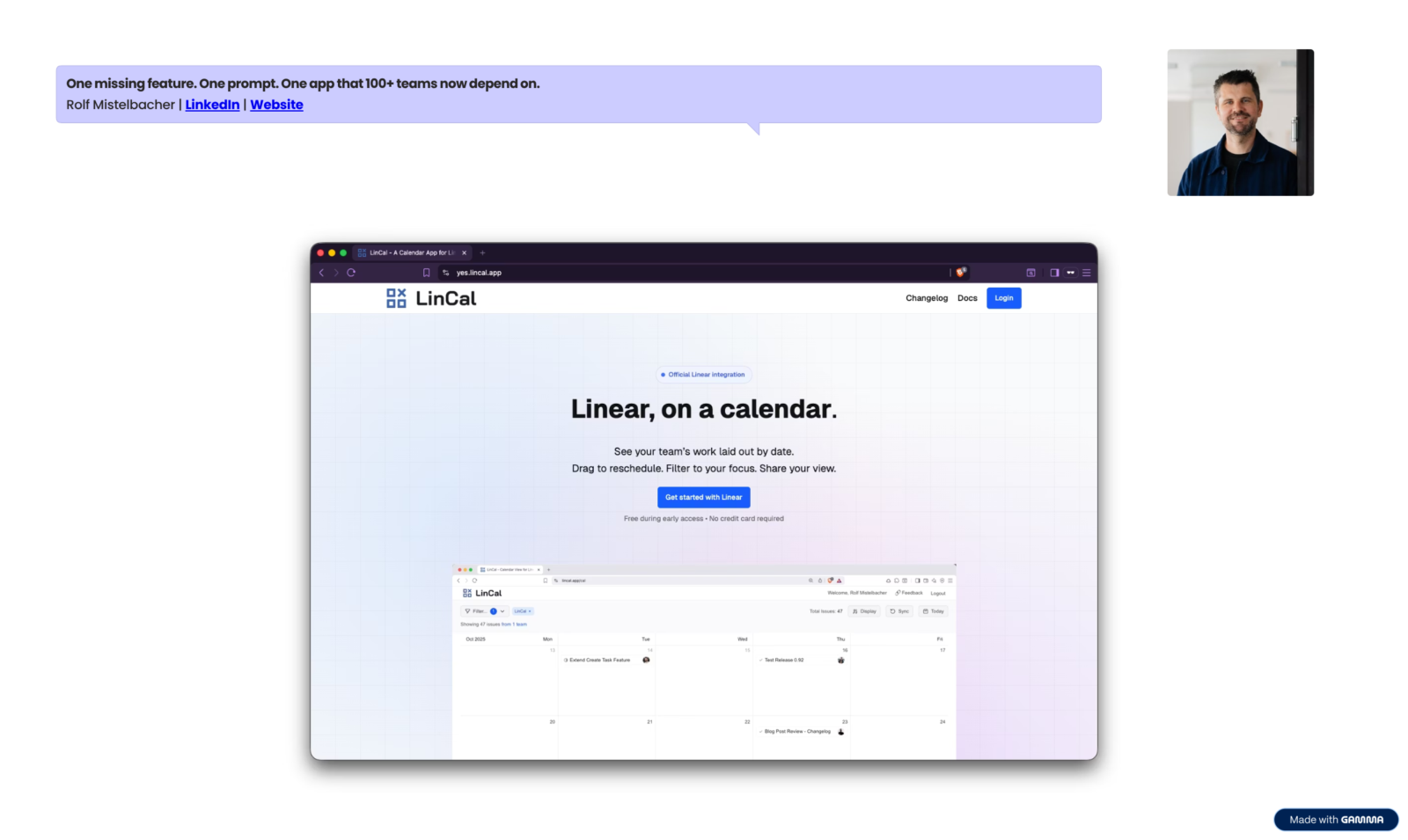
Level 3 is what happened to LinCal. I did not set out to build a software product. I set out to solve a problem I had.
The LinCal story
Linear is a project management app. It shows tasks in list view or kanban view. I needed a calendar view, specifically to manage content publishing dates. I posted on Reddit to ask whether Linear was planning to add one.
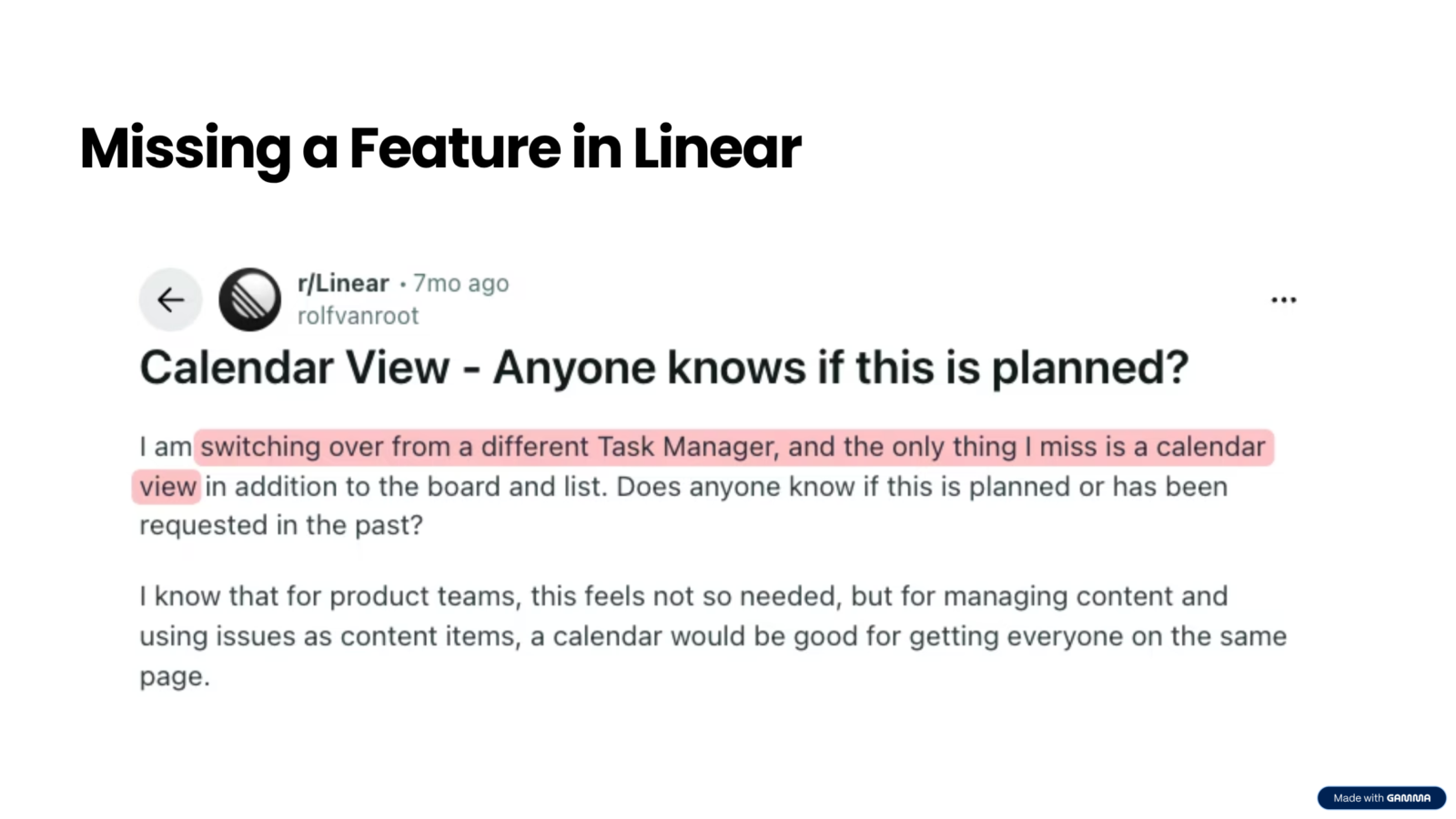
There was no feedback. So I built it.
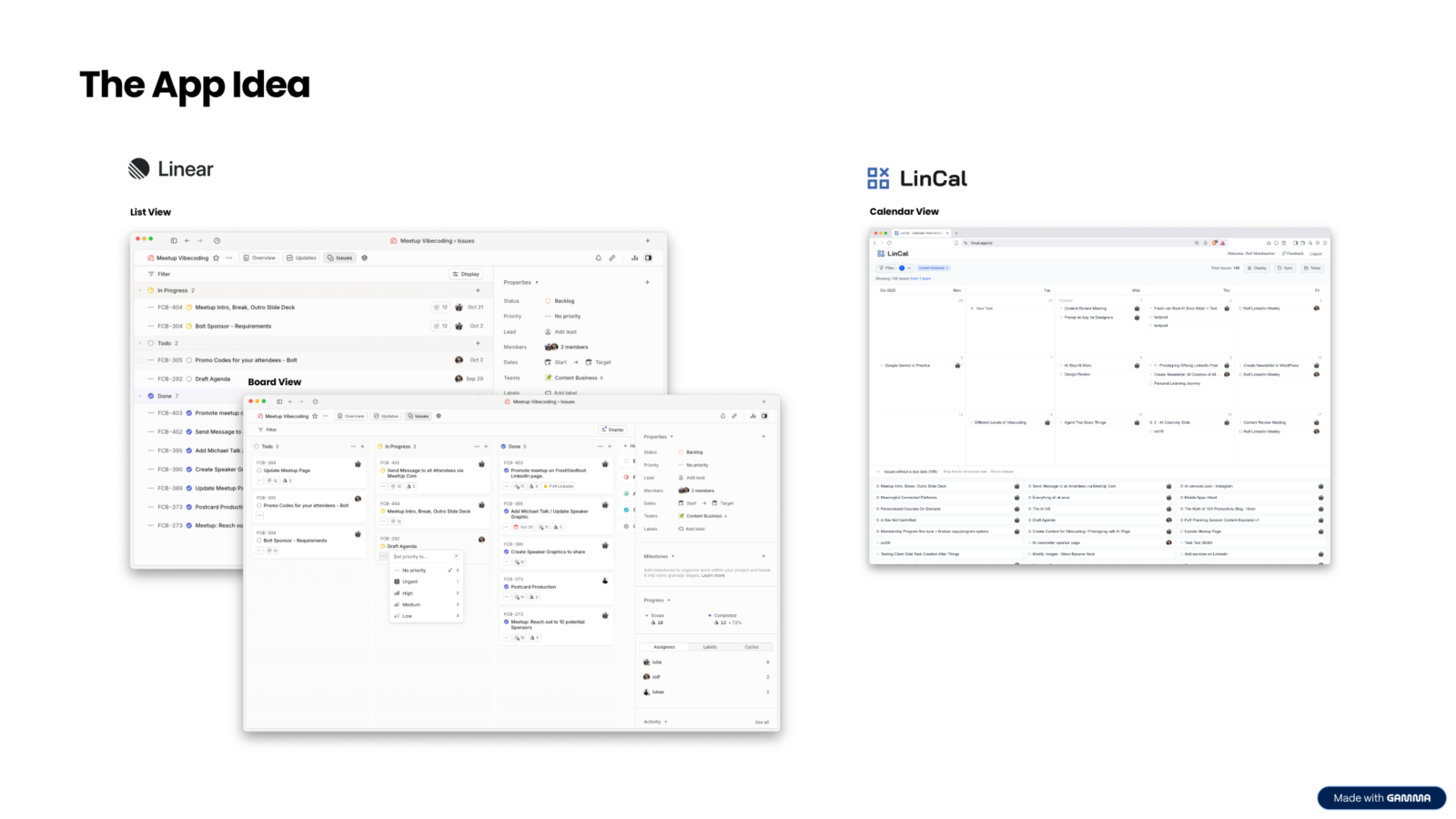
The first prototype took 30 minutes. After two hours it was polished enough to share. After two or three weeks I published it publicly. I went back to Reddit and posted: here is a calendar view for Linear, in case others need it too.
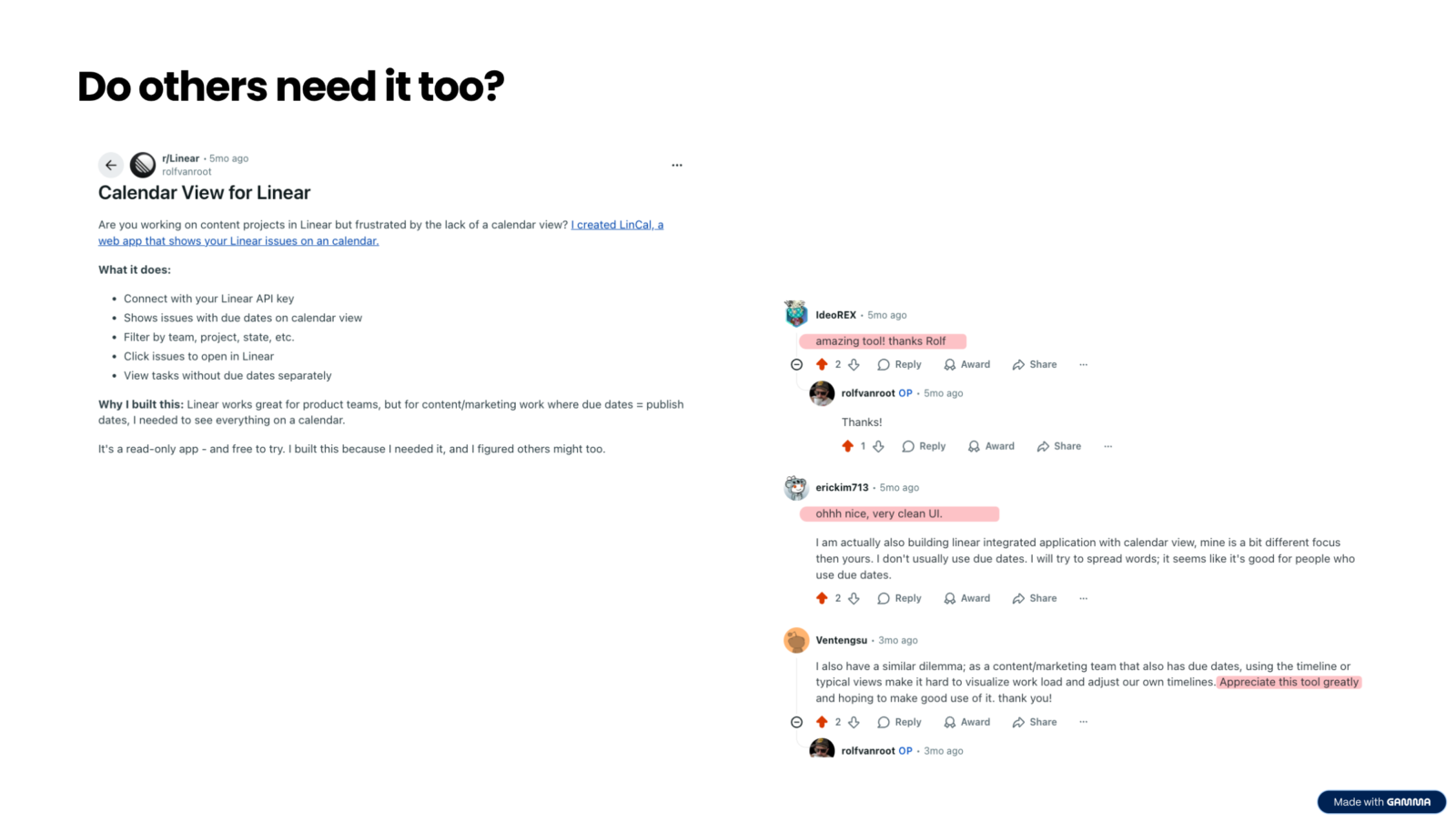
The response was immediate.
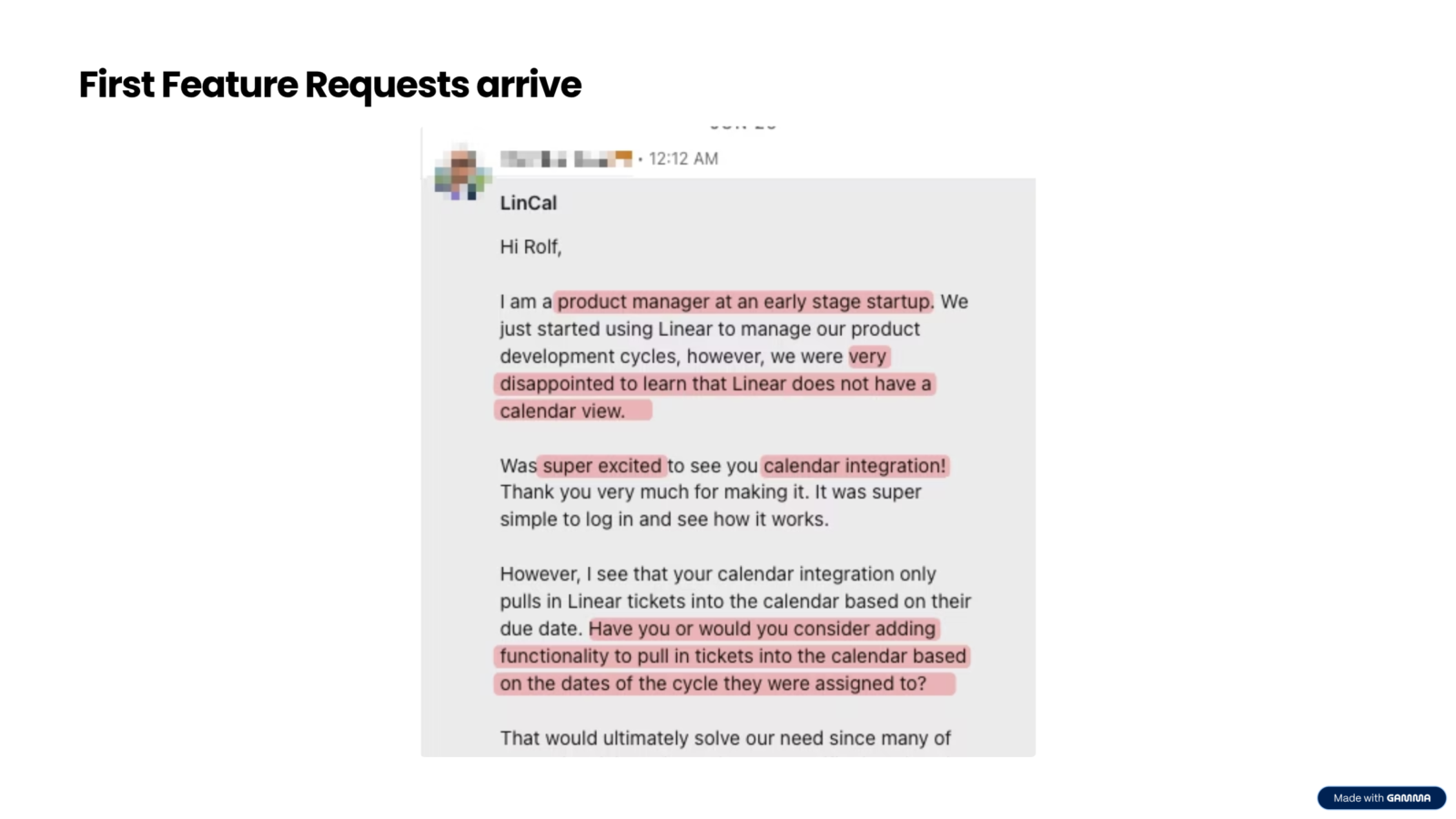
People said they had the same problem, that the UI was clean, that they were going to use it. And then the feature requests started arriving.
One user asked whether I had a pricing plan in place, because their company wanted to use it.
Another raised concerns about data privacy.
A third wanted a specific feature that would make it work for their team’s workflow.
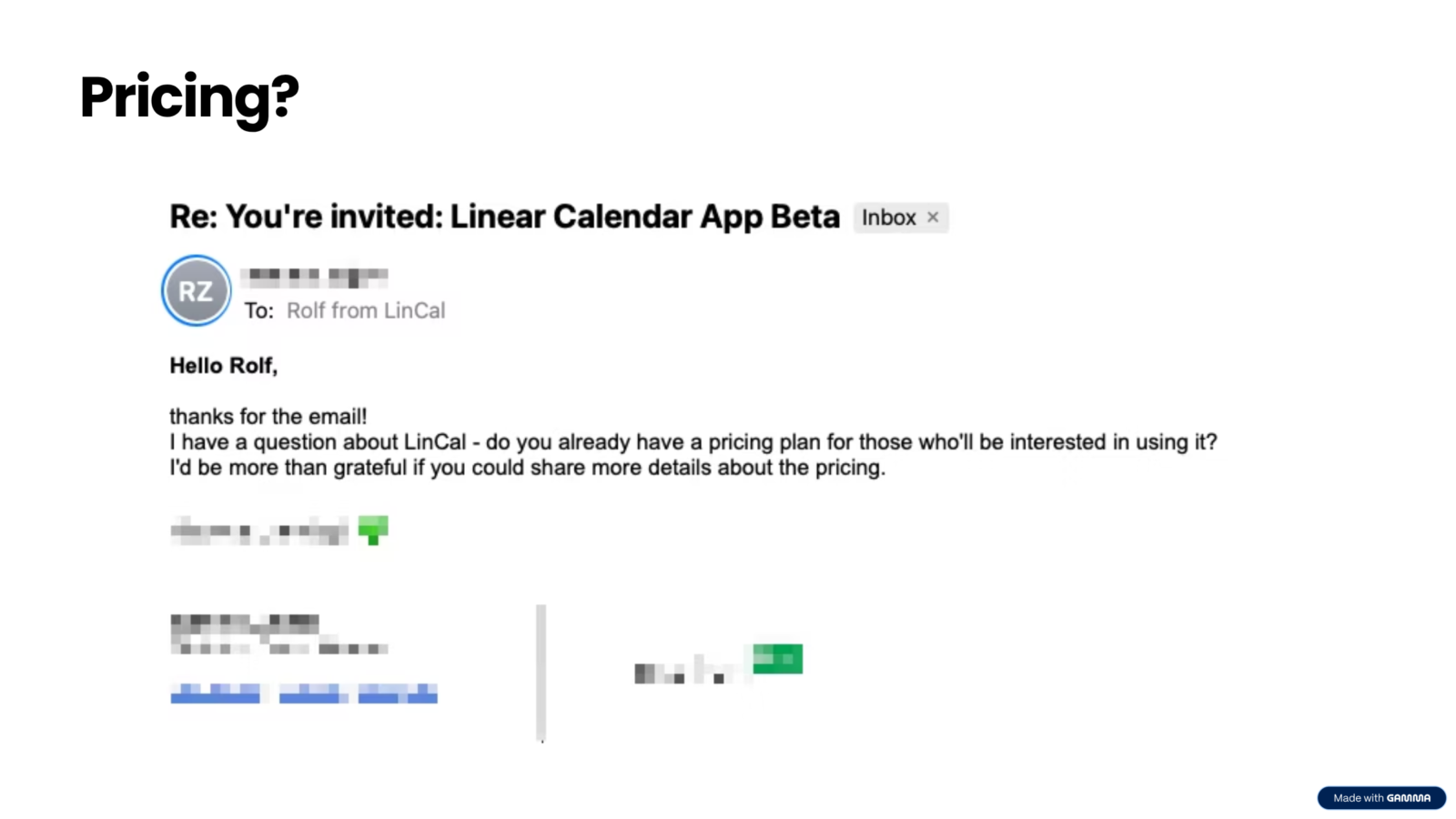
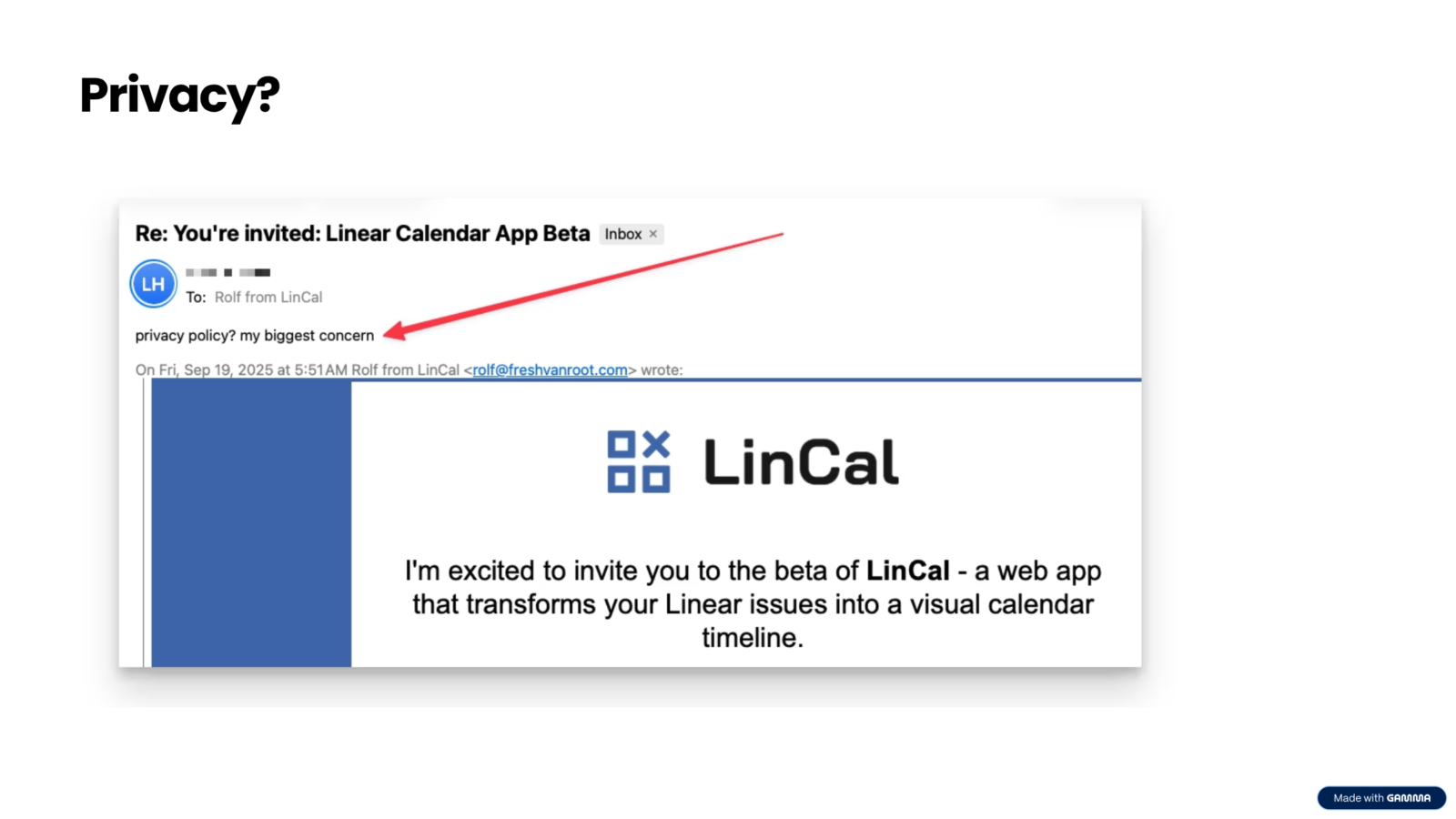
I had accidentally launched a micro software product. None of these questions were things I had thought about when I built the first prototype.
The complexity of Level 3
Moving LinCal to a proper production setup meant confronting a lot of decisions that platforms like Replit had been making for me automatically: tech stack, framework, database, authentication, deployment, error handling, security.
Each of these is a real engineering decision with real tradeoffs.
The move to Cursor took significantly longer than the original prototype. But it gave me full ownership and control over the codebase. I could understand what was in it, I could explain it to someone else, and I could make deliberate choices about how it worked.
At some point, I hit the limit of what I could do alone with just prompting. The app had security issues I could not prompt my way out of. I needed someone who understood the inner workings at a level I had not yet reached.
The Level 3 team
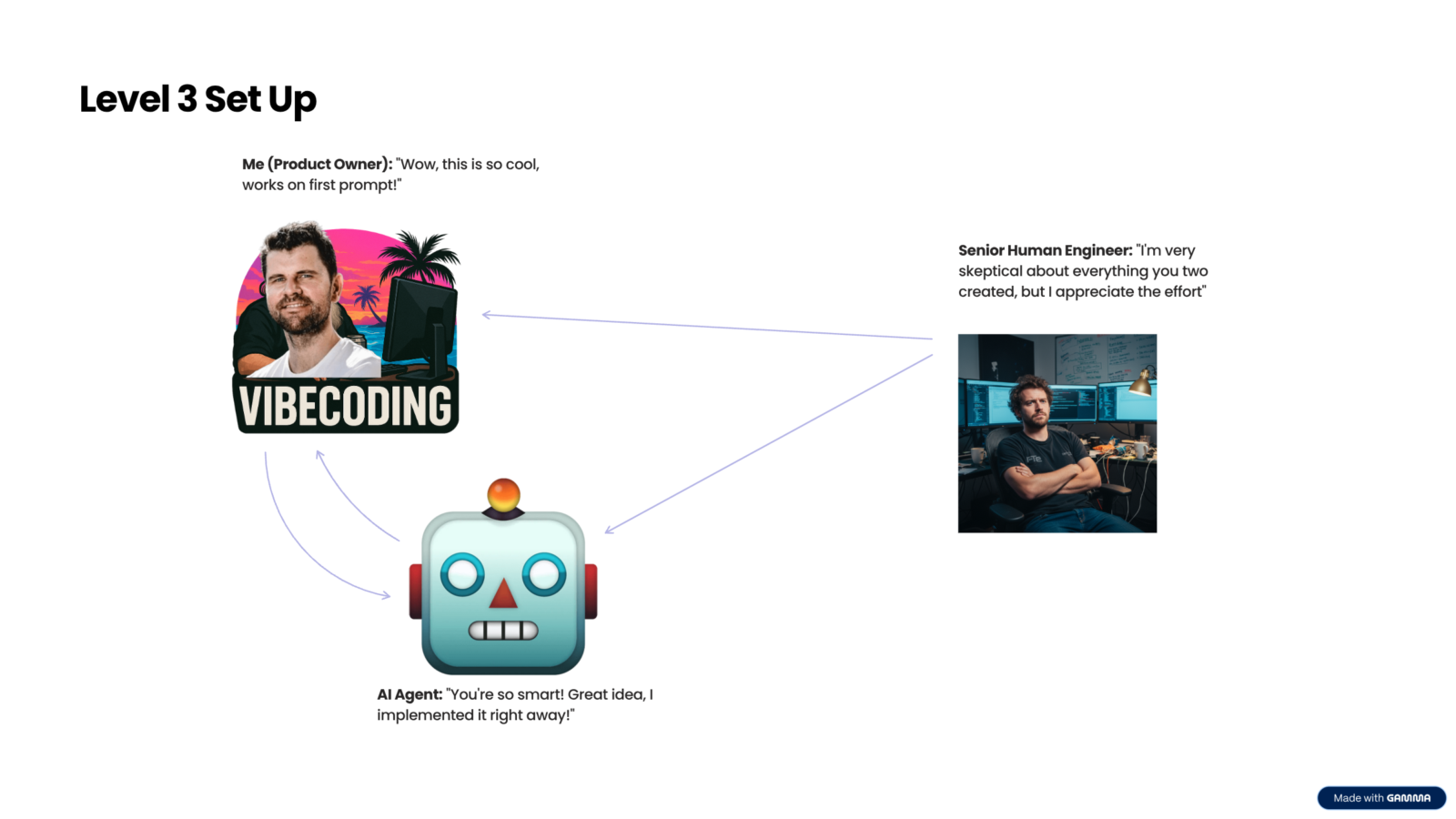
The setup that works for me now is three-way:
- Me as the product owner with a clear idea of what I want
- An AI agent handling the implementation of most features
- A senior human engineer who reviews, challenges, and handles the things that prompting alone cannot solve. He works with me around two to five hours a week.
This is not a failure.
It is an honest picture of what Level 3 looks like. You are no longer a solo builder. You are a product owner who can build a surprising amount of it yourself.

Where LinCal is today
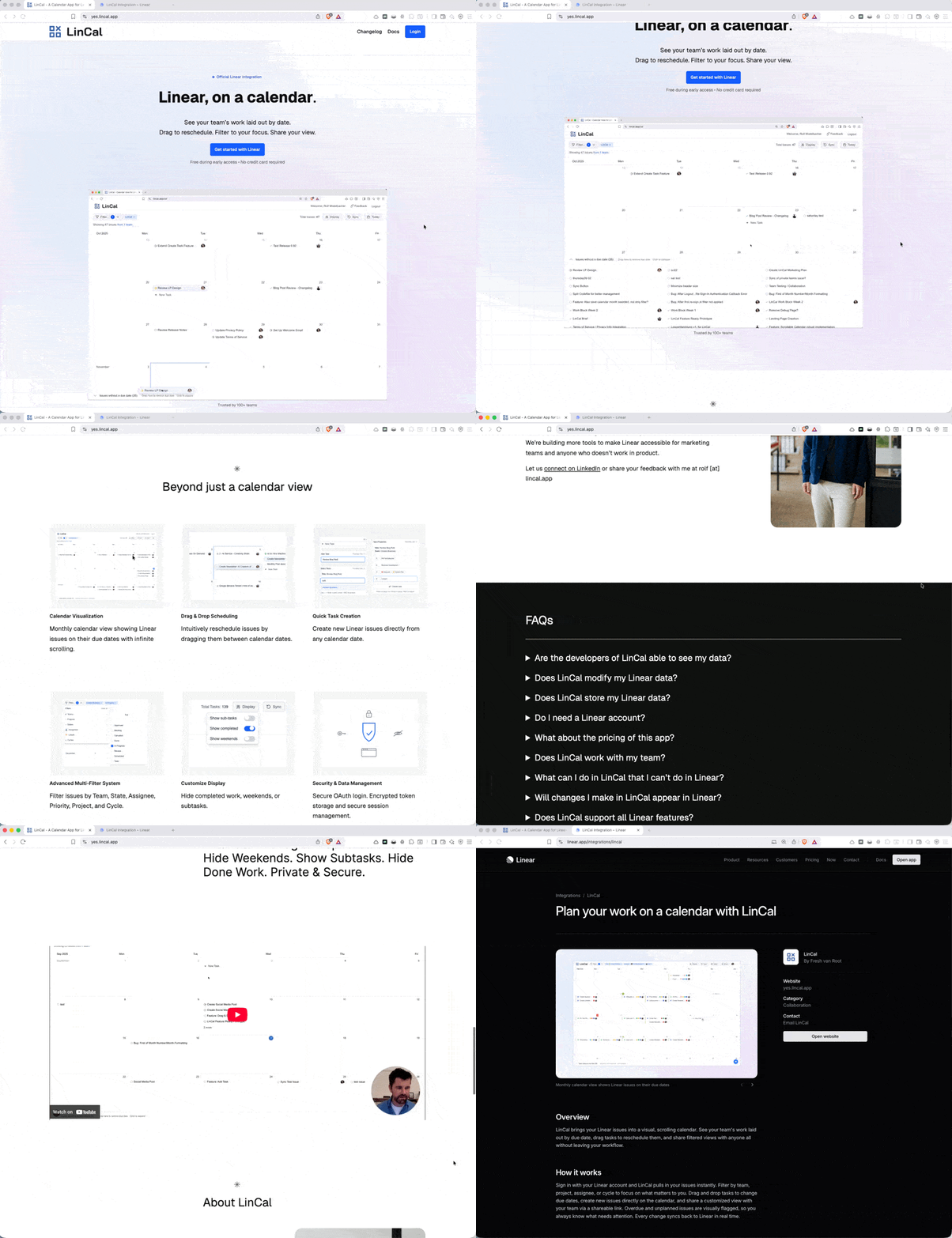
LinCal is now an official integration in Linear. It is used by over 100 teams and more than 1,000 users.
It has drag-and-drop scheduling, multi-filter views, team sharing, secure OAuth login, and a privacy-first architecture where none of the workspace data passes through our servers.
It started as one prompt in April 2024.
You can try LinCal at lincal.app.
The tools: Picking the right one for your level
There are a lot of AI app building tools available right now, and new ones appear every week. The choice is less important than people think. What matters is picking one and building up experience with it. Here is a rough guide based on comfort level and use case.
Lovable: Best starting point for anyone with no technical background. Low barrier, just prompt, see results immediately. Strong for Level 1 and Level 2.
Replit: Similar to Lovable, slightly more technical. AI agent-first design. Good for Level 1 and into Level 2. Can start to feel harder to navigate as a project grows in complexity.
v0 by Vercel: Strong for UI-heavy, browser-based apps. Connects directly to Vercel for deployment and GitHub for version control. Good choice if your app is primarily a frontend: dashboards, read-only views, tools without a database.
Cursor: For people with some technical comfort, former developers, or anyone taking a project to Level 3. It will ask you questions the other tools never will. That is both its strength and its challenge. It gives you full control over the codebase, which means you have to make real decisions about how things are built.
There are also specific tools for specific use cases: mobile app builders for iOS and Android, design-first tools like Magic Patterns for interfaces, no-code platforms like Bubble that have now integrated AI features.
The full list is long and growing. A regularly updated overview is available here.
The right tool is the one that matches where you are and where you want to go. Not the most powerful one. Not the newest one.
Level 4 and beyond: Where this is heading
What you saw today will be Level 1 in six months.

The ceiling keeps moving. What took me six months of work to figure out, I can now often replicate in a 30-minute session. New models, new tools, and new workflows collapse complexity that felt significant just a year ago.
We have entered an age where anyone can build exactly the tool they need. Not because they learned to code. Because they learned to prompt.
A user of LinCal, Emil Rosendahl, is a good example of where this is heading. He tried LinCal, found it useful, but decided it was a bit short for his team’s specific needs. So he vibecoded his own thing that same night: a full marketing hub for Metaplay, his company, connected to their Linear workspace, their Notion documentation, and their GitHub repository, with AI content generation built in.
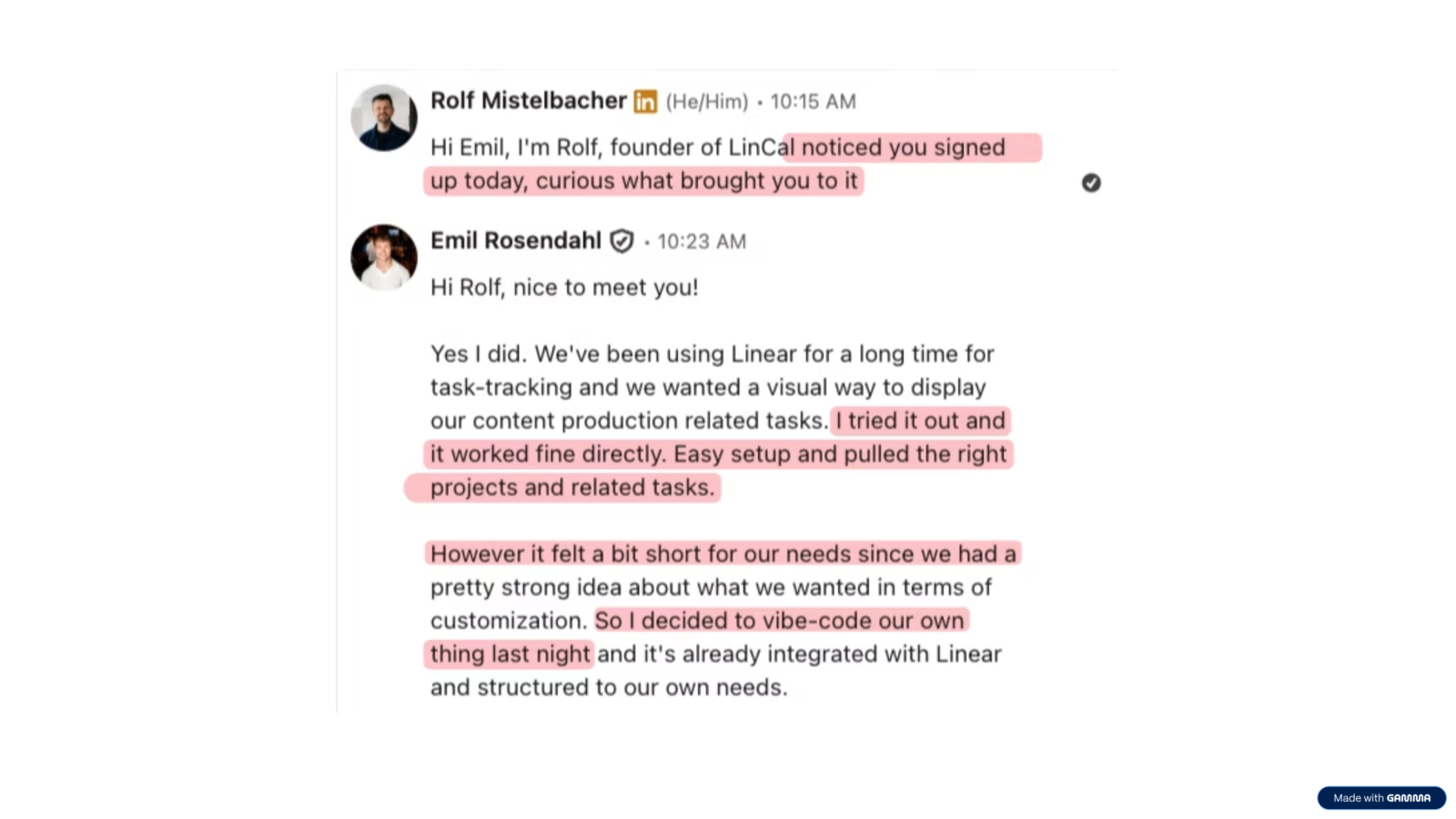
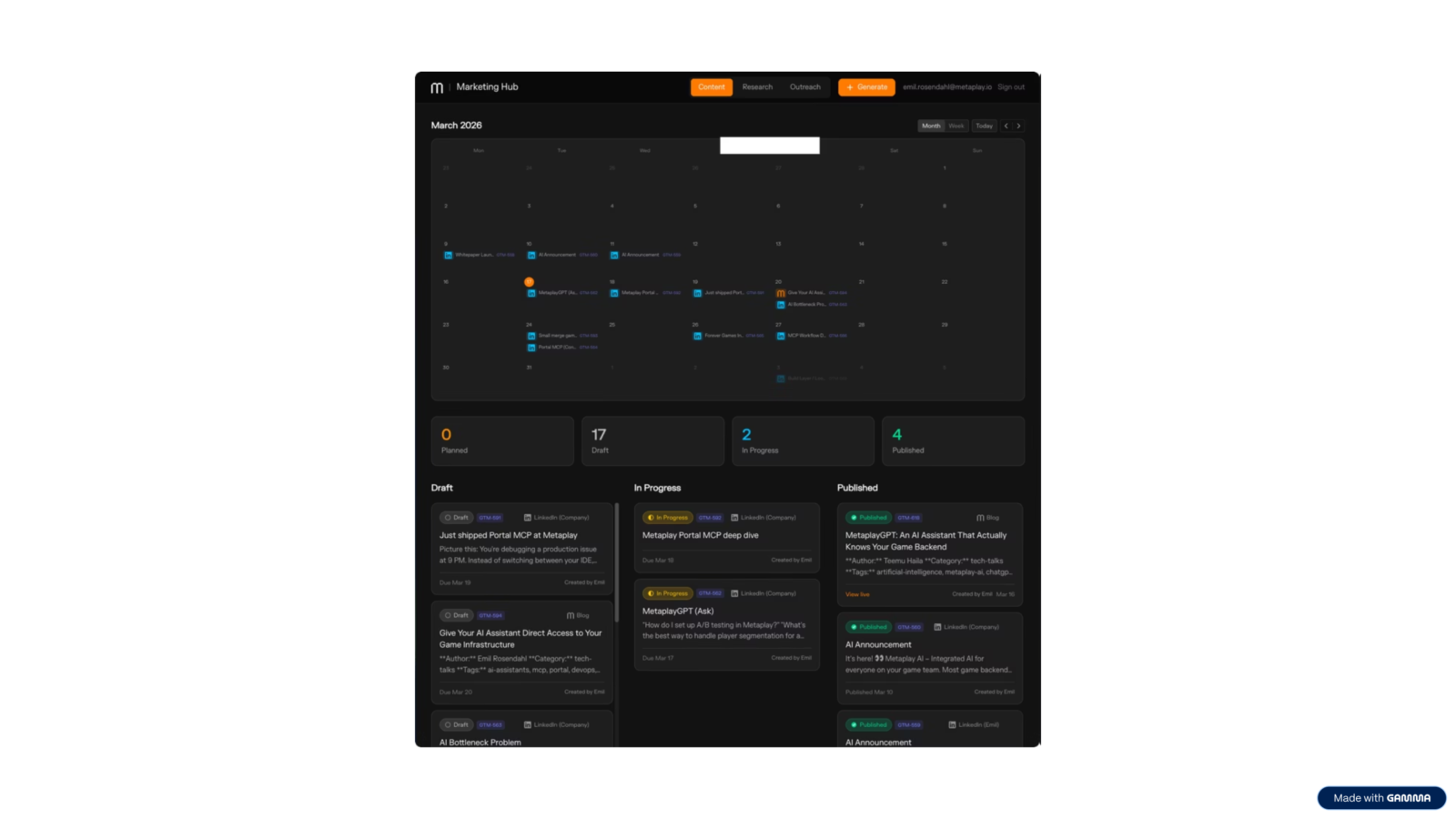
He did not wait for a product to solve his problem. He built exactly what his team needed.
Agentic programming
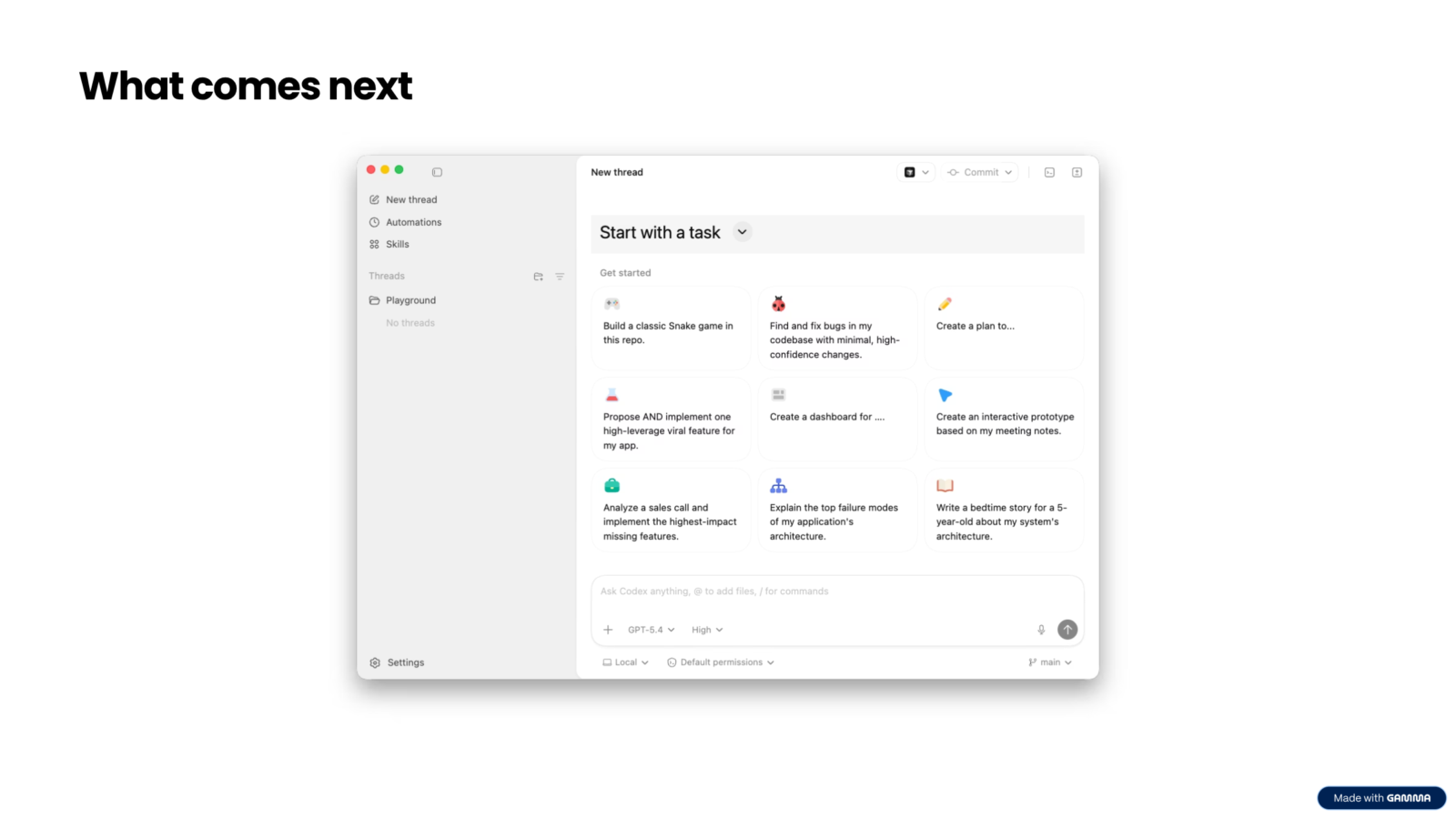
Tools like Codex by OpenAI are pushing this further. Instead of prompting line by line, you describe an outcome and let the AI work toward it autonomously.
You can describe an app in plain language, tell the agent not to ask questions, and come back two hours later to a running prototype.
People are already doing this via Telegram, connecting AI agents to messaging apps so that building something is as simple as chatting with a contact. No web interface, no code editor, just a conversation that ends with a deployed app.
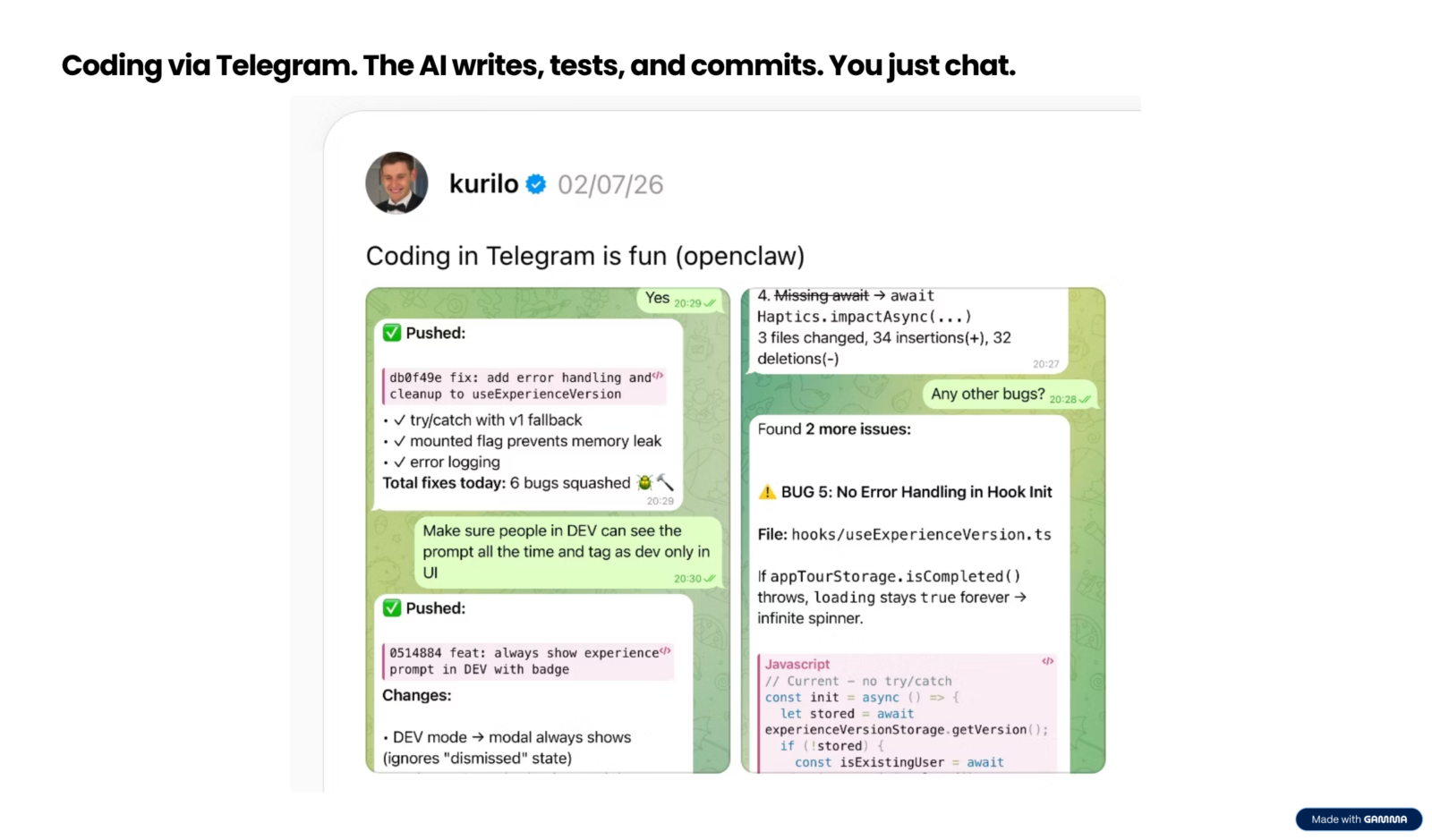
Level 4 is already starting to appear. What it looks like exactly is still being figured out.
But the direction is clear: less manual prompting, more describing outcomes, and AI that has full context about your project and your business.
Your next step
You have the map. The question is where you want to go.
Most ideas do not need to become production apps. Level 1 or Level 2 is the right destination for the majority of projects. A dashboard that only you use, an internal tool for your team, a prototype you can show to stakeholders before committing to development resources. These are real and valuable outcomes.
If something you build turns out to have legs, you will know. The feature requests arrive. The feedback gets specific. People ask about pricing. That is when the decision fork matters, and when knowing the levels in advance saves you from making expensive mistakes.
The most important thing is to start. Pick one tool. Take one idea off the backlog. Build a first version and see what happens.
Ready to bring this to your team?
We help professionals, teams, and organizations adopt AI prototyping — from first idea to working product. Whether that’s a workshop, an online course, or working directly alongside your team.